How to consume Realtime kinesis streaming data and process it ?
Table Content
In the modern era, with the advent of new devices and machines capable of generating vast amounts of data in milliseconds, imagine millions of these devices producing data in real-time. Users now expect quick results, often within milliseconds. This demand for instant processing of user event data in real-time has become a crucial necessity. So today we will create an automation using AWS cloud services to consume and process realtime streaming data.
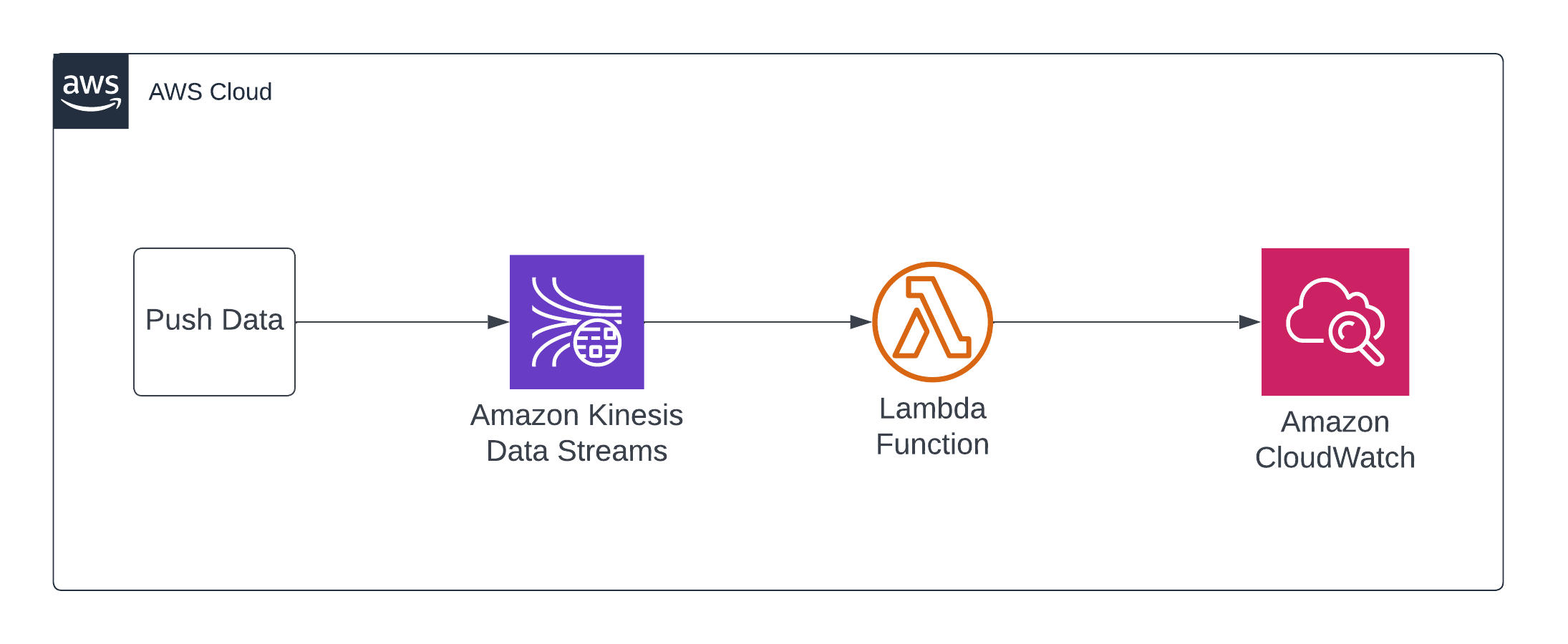
-
Create a Kinesis data stream where data will be pushed in realtime.
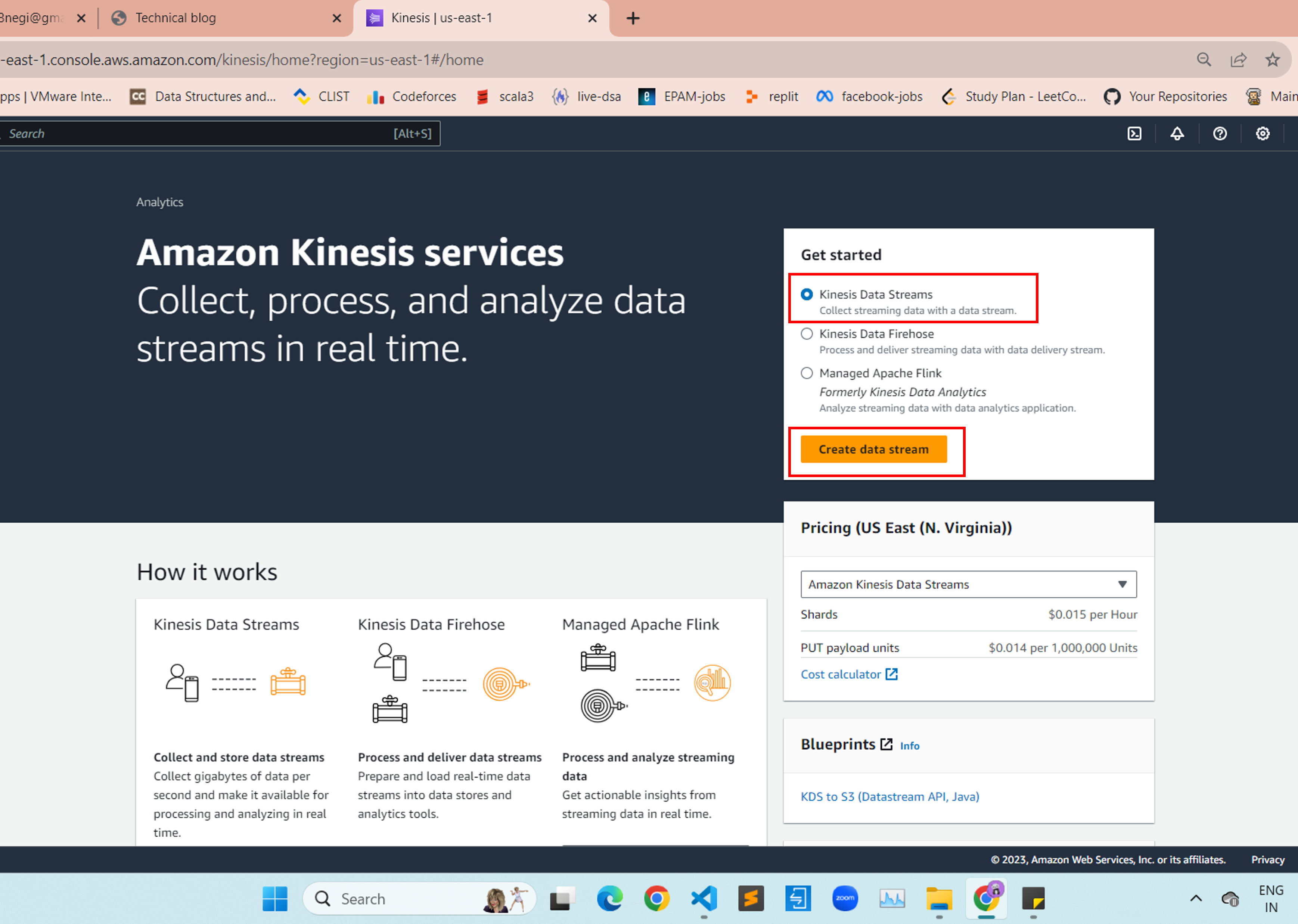
Keep below configuration while creating kinesis data stream.
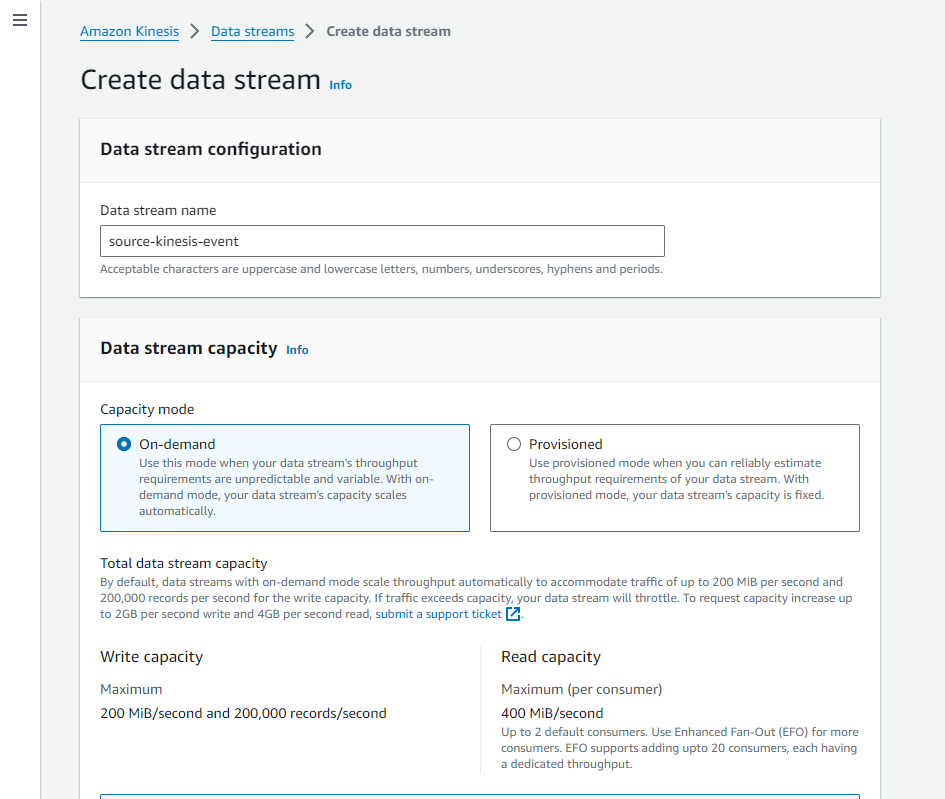
-
Create AWS lambda function using below configuration. Here we are using Python 3.11 runtime.
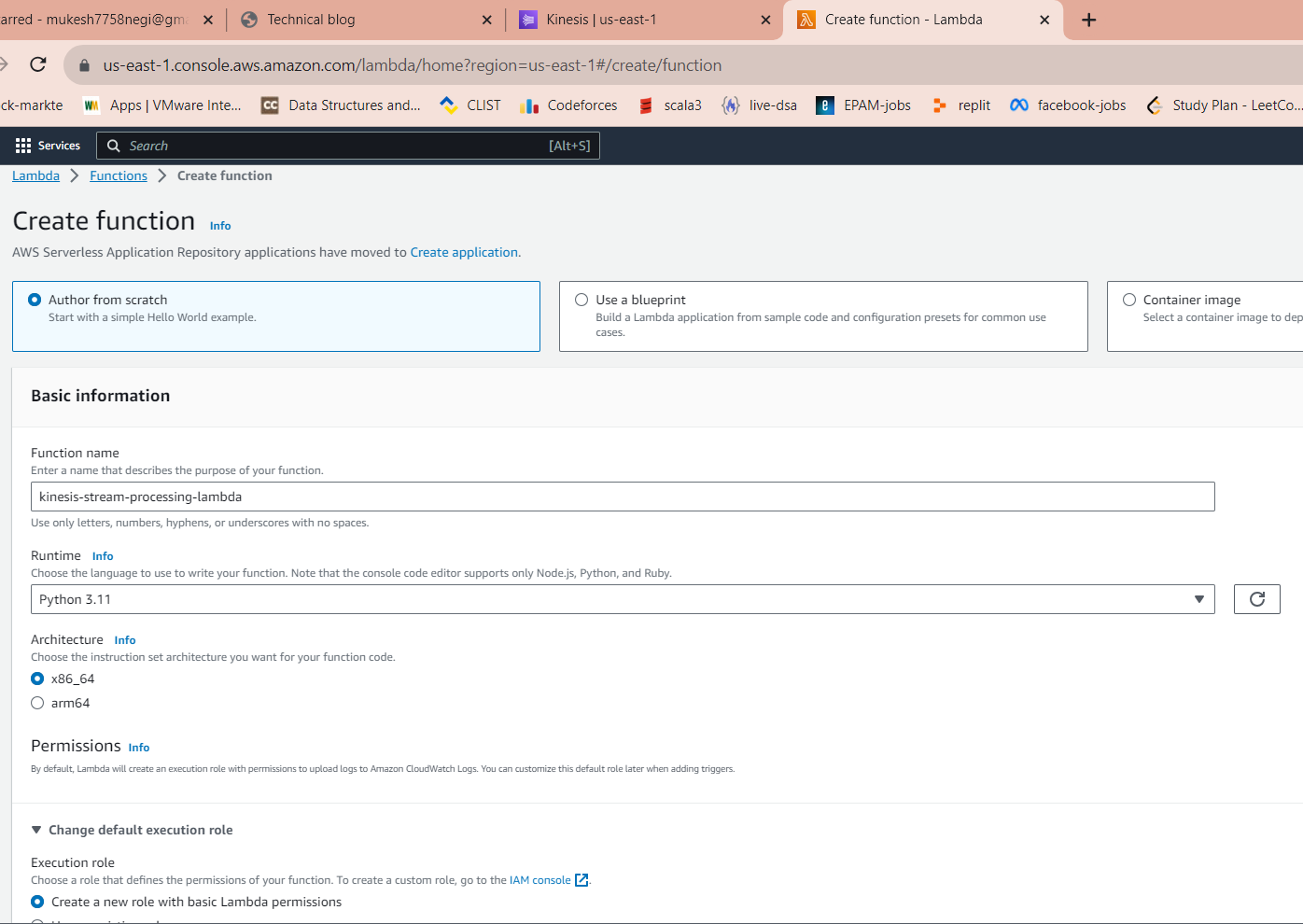
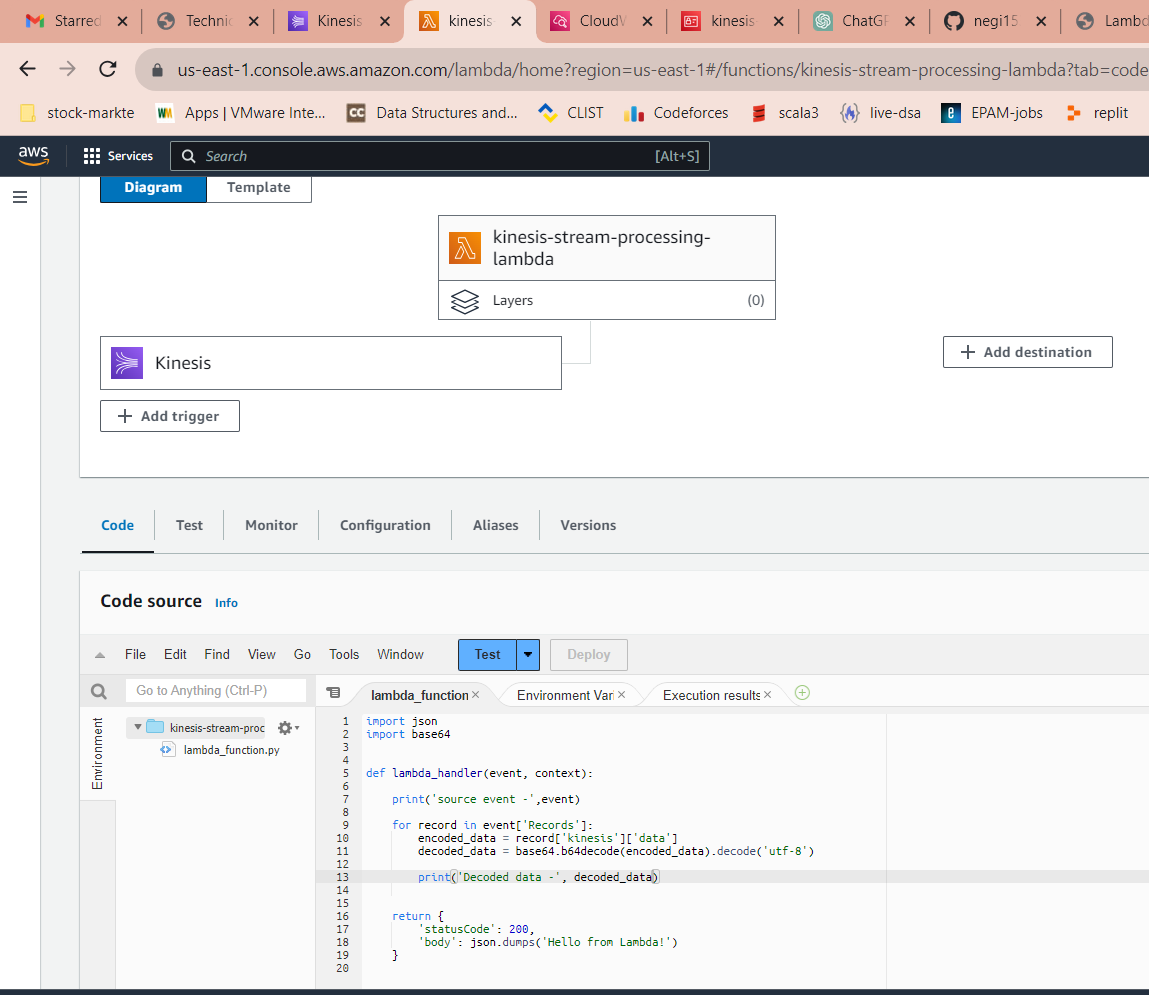
Update lambda code as shown below. In below code, we are decoding the data received from kinesis.
-
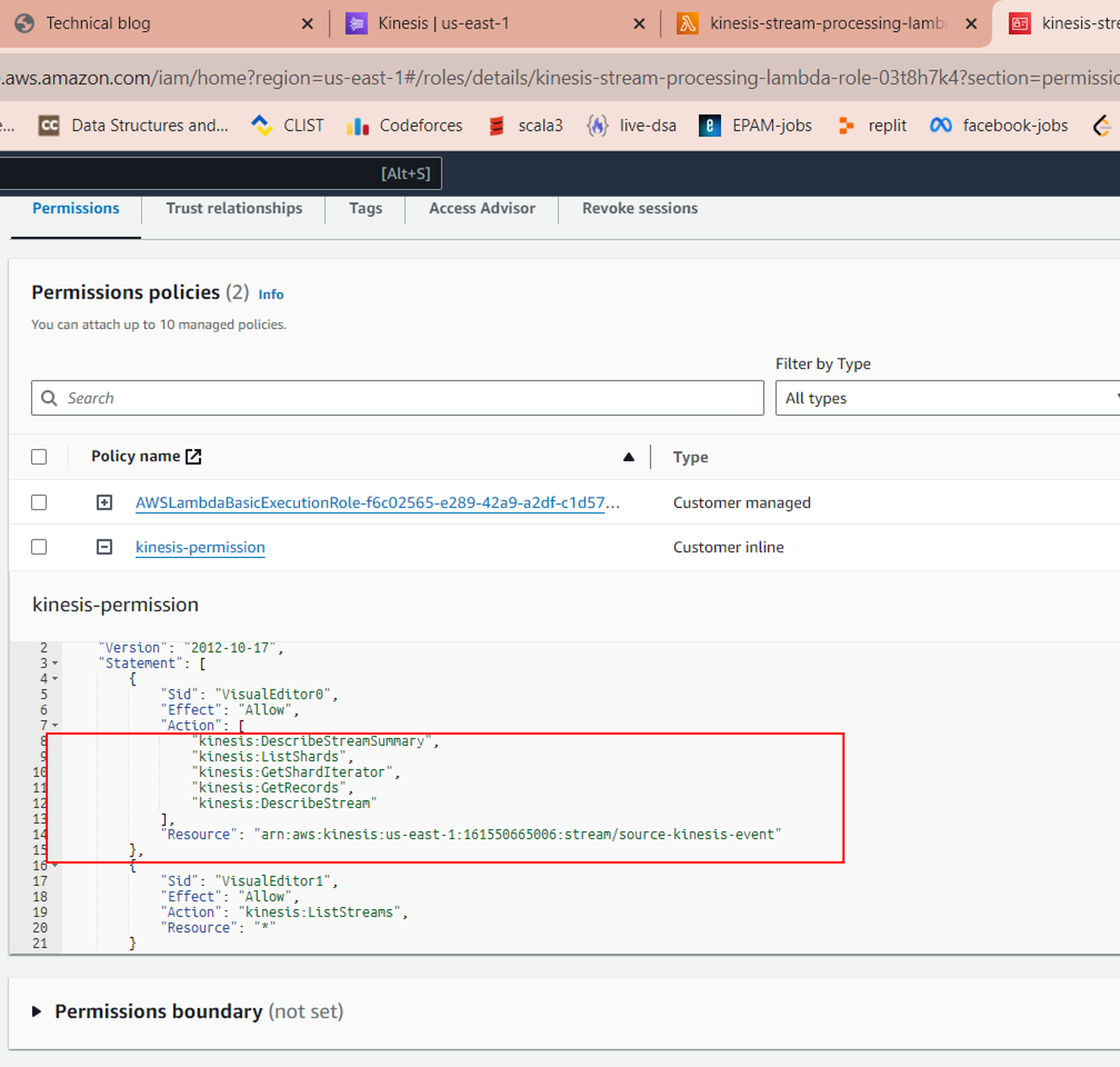
Update IAM Role associated with lambda to grant Kinesis access.
-
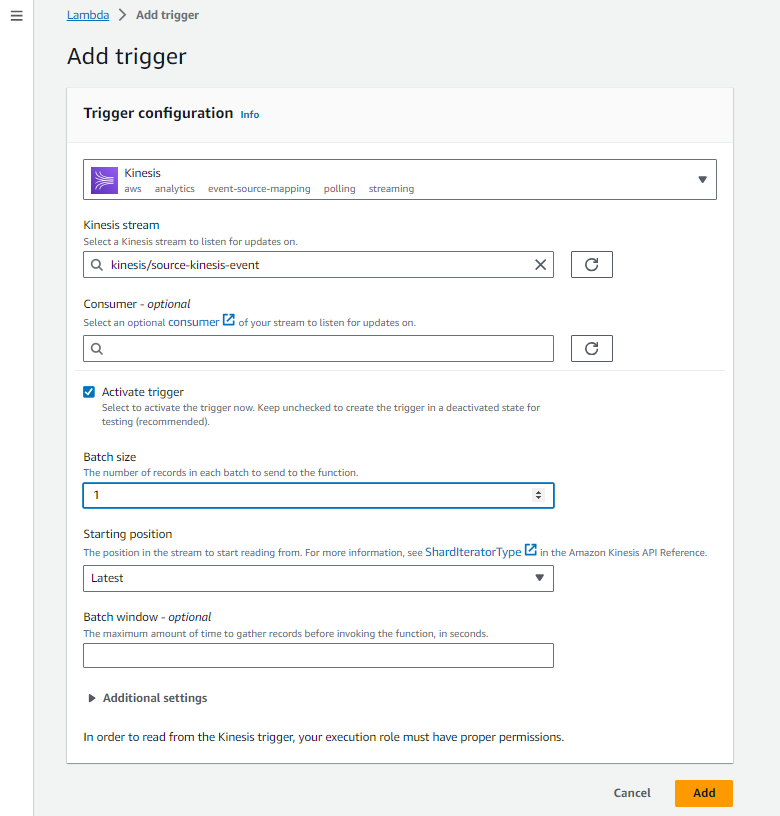
Add kinesis trigger to the lambda
-
To validate the automation, we need to Push the data into kinesis stream using AWS CLI command as shown below.
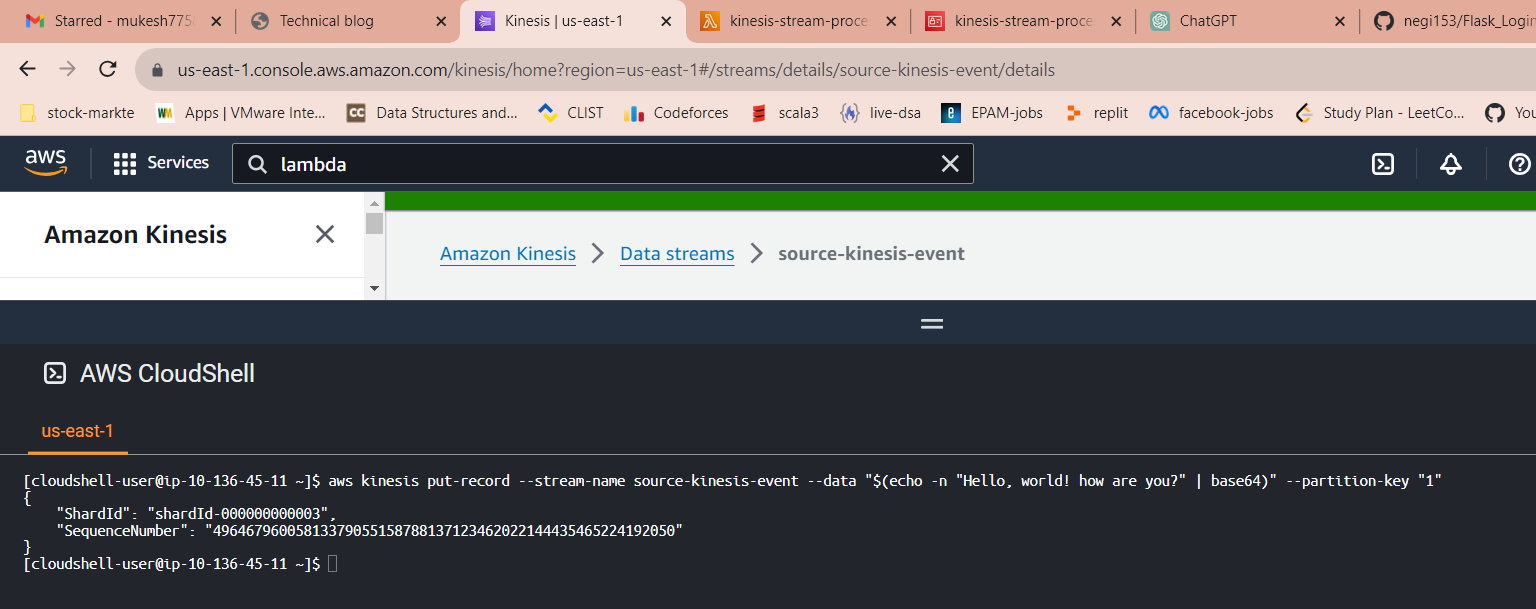
Once data is pushed into stream, it will trigger the lambda and process the data. As shown in below cloudwatch service, we have decoded the data consumed from kinesis and printed into logs.
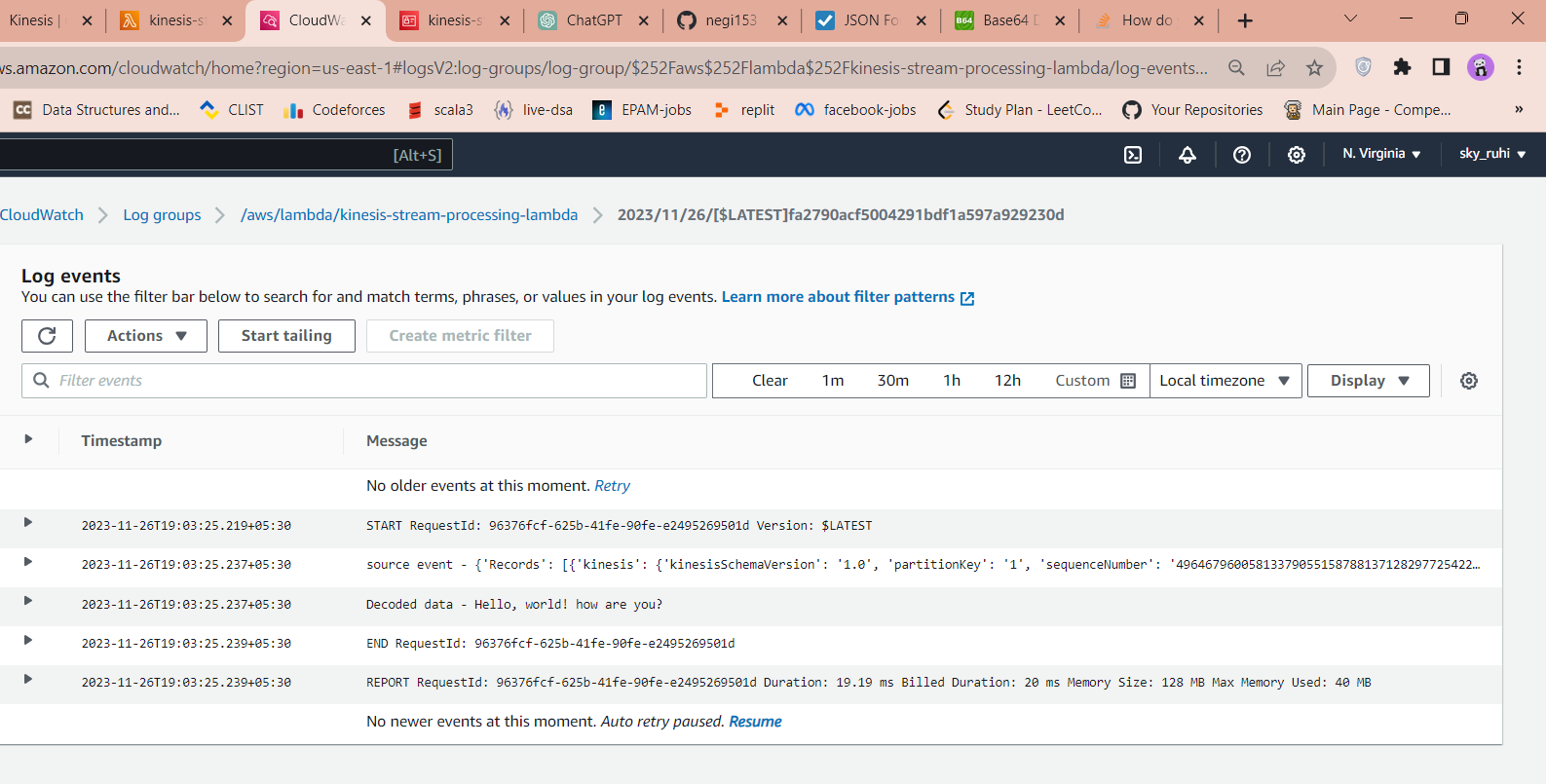
Thanks for going through this automation. In this blog, we were able to successfully push the data into kinesis stream and process it using lambda service in realtime.