Create custom layer for AWS Lambda function.
Table Content
What is AWS Lambda layer ?
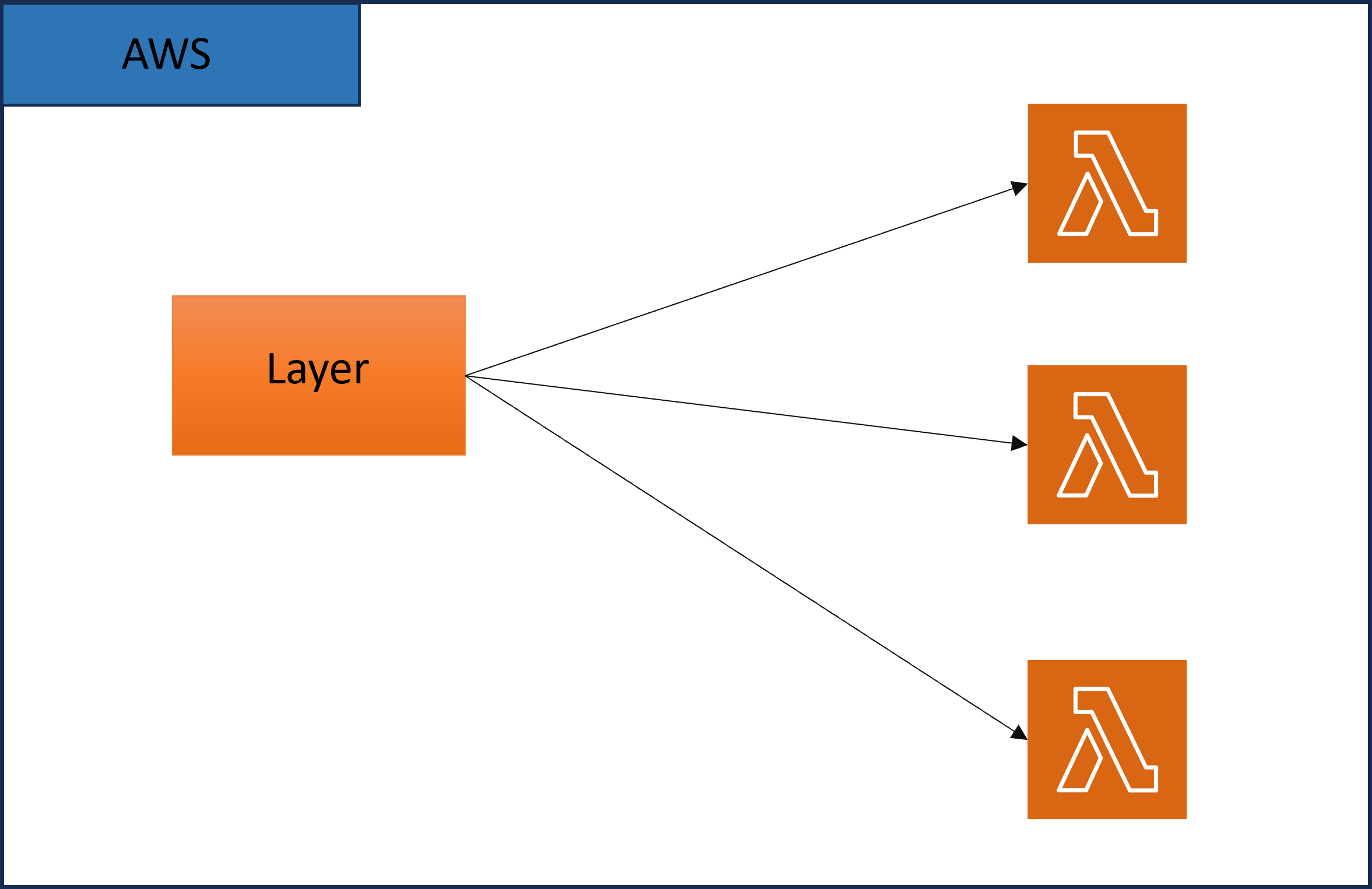
AWS lambda layer is a collection of dependency modules which we can use in lambda. A layer can be used by multiple lambda functions.
Benefits of AWS Lambda layer ?
AWS Lambda Layers offer several benefits that can improve the development, management, and scalability of your serverless applications:
-
Code Reusability: Easily share common code across multiple Lambda functions.
-
Simpli fied Deployment: Speed up deployment by separating dependencies from function code.
-
Version Control: Manage updates and rollbacks for dependencies with versioning.
-
Cost Efficiency: Reduce storage costs by avoiding code duplication.
-
Access Control: Control which functions can use specific dependencies for improved security.
-
Faster Initialization: Cache dependencies for quicker function startup times.
-
Maintenance Ease: Simplify updates and changes to shared code or resources.
-
Scalability: Optimize deployment package size for faster scaling and lower latency.
-
Custom Runtimes: Extend Lambda's language support for diverse use cases.
Pre-requisite ?
In this topic we are going to use Python 3.11.5 in a linux environment.
NOTE - Use Linux environment to create AWS Lambda layer.
How to create custom AWS Lambda layer ?
Here we are going to create a layer which contains requests module. Similarly we can add multiple modules inside layer.
-
Create a requirements.txt file which contains python module names and their versions. We have added requests modules. Similarly you can add more as well.

-
Install modules in folder python/lib/python3.11/site-packages/ by using below command.
pip3 install -r requirements.txt --target python/lib/python3.11/site-packages/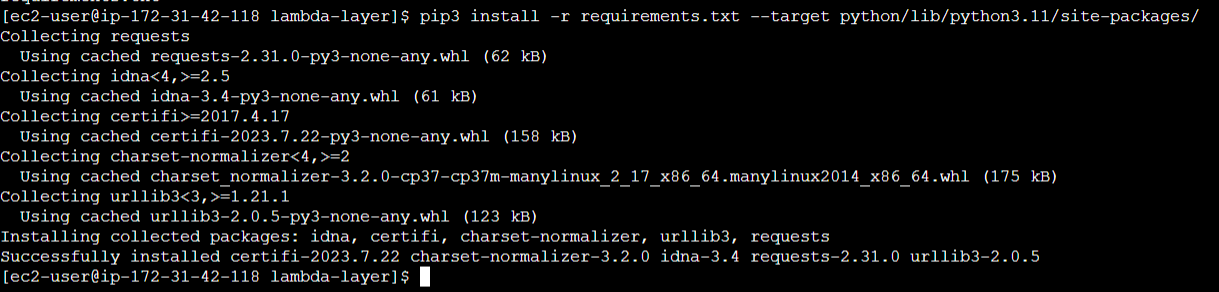
-
Zip all the dependency modules by using below command.
zip -r requests-layer.zip python/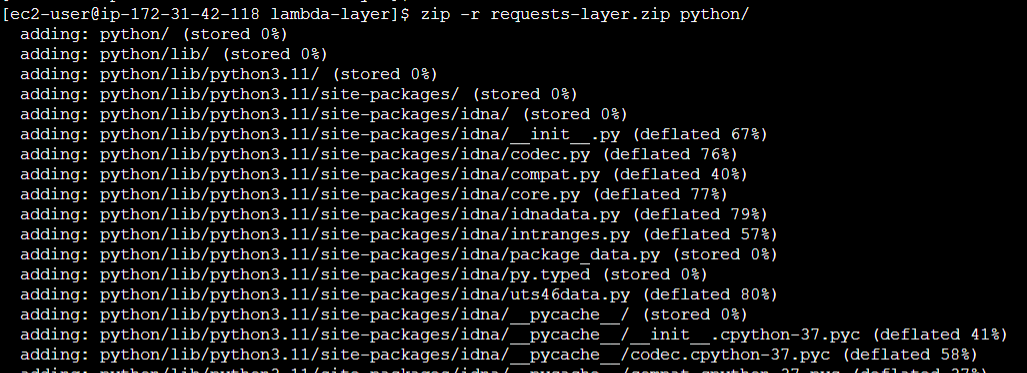
Zip file requests-layer.zip created as shown below.

-
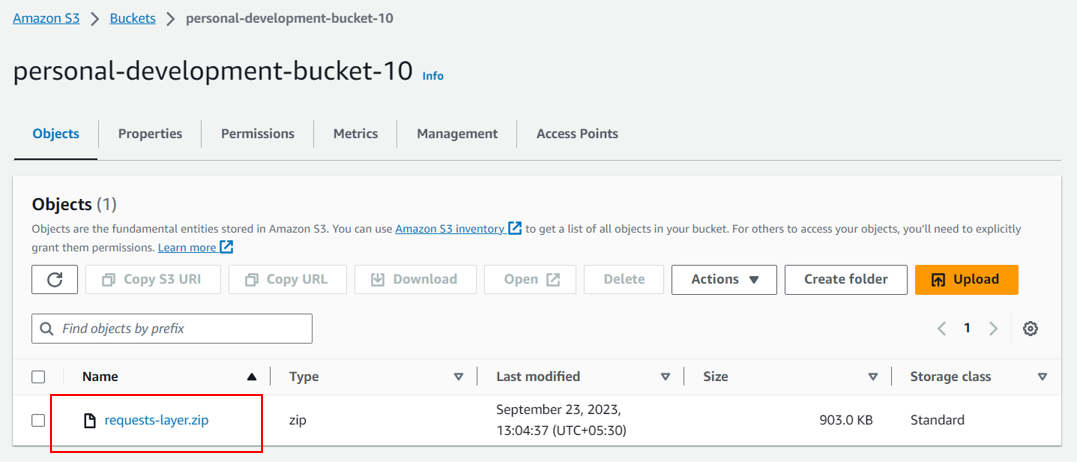
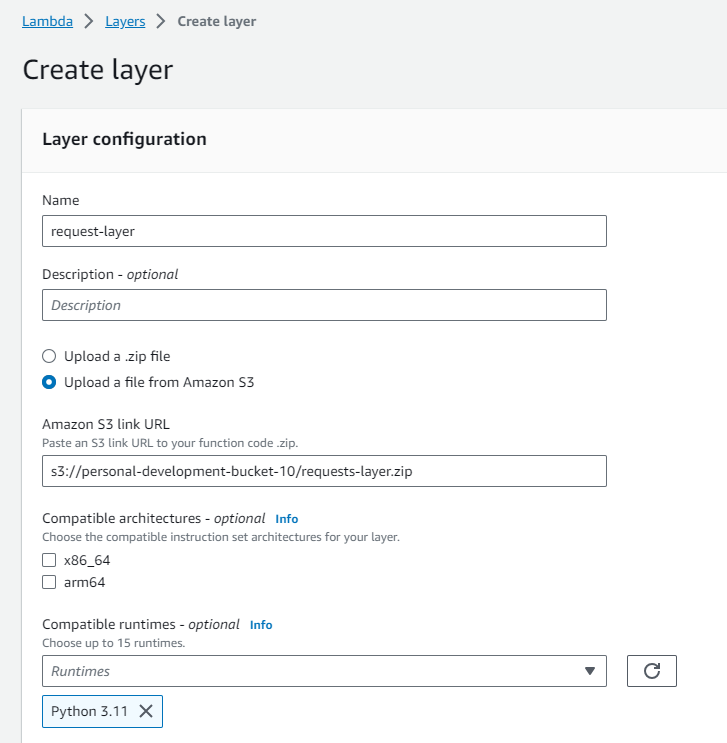
Upload zipped layer file into s3 bucket by using below command or AWS Web application. Here we have used personal-development-bucket-10 as s3 bucket.
aws s3 cp requests-layer.zip s3://personal-development-bucket-10/
-
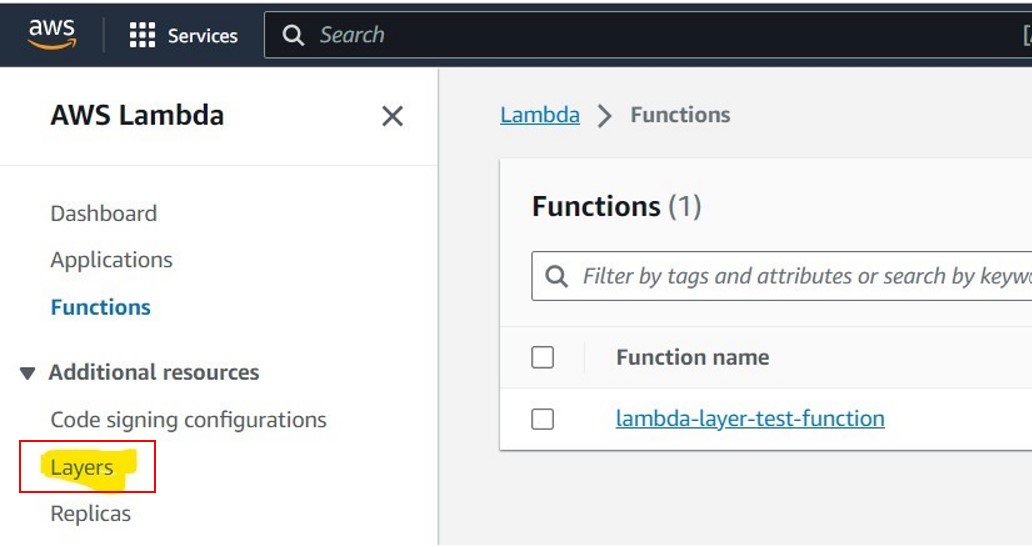
Go to AWS Lambda service and select Layer from left side.
-
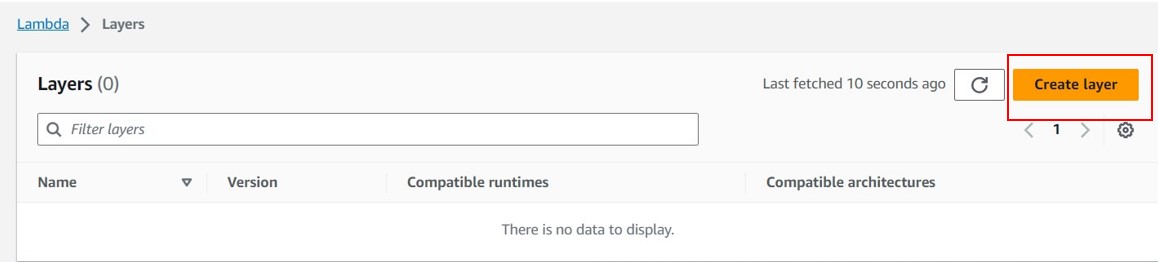
Create Lambda layer using below configuration.
-
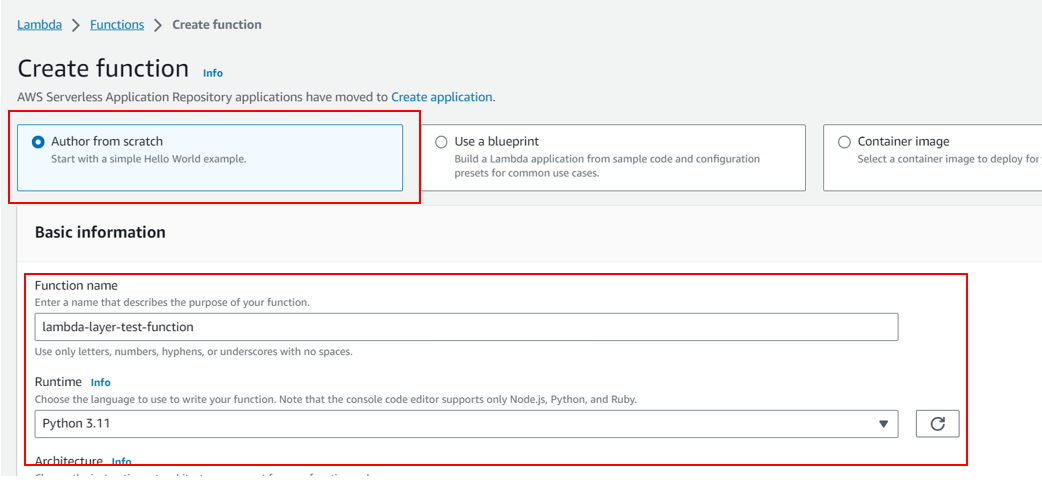
Create AWS Lambda function as shown below. In this example we have created lambda function using Python3.11 runtime.
-
Add layer in lambda as shown in below snippet.

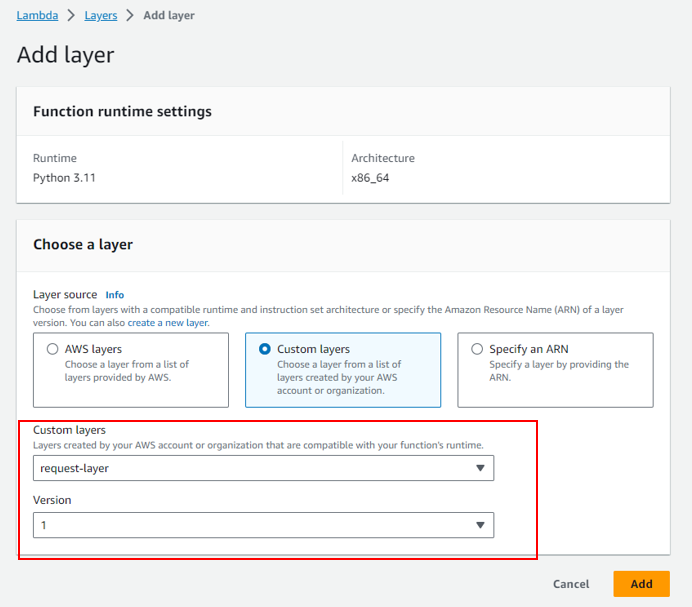
Below image shows tha layer has been added to lambda function.

-
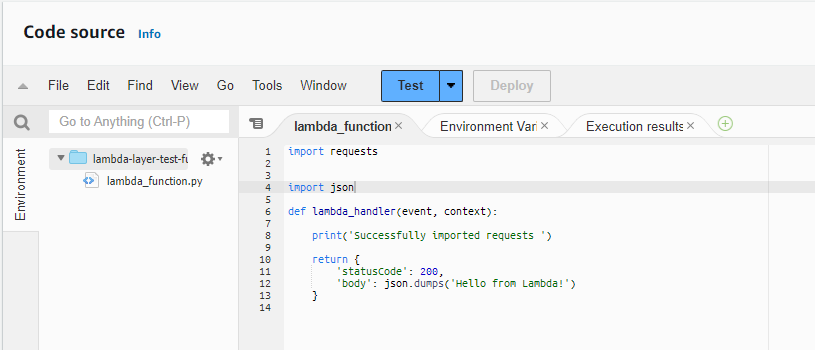
Update lambda code as shown below to test the lambda function.
-
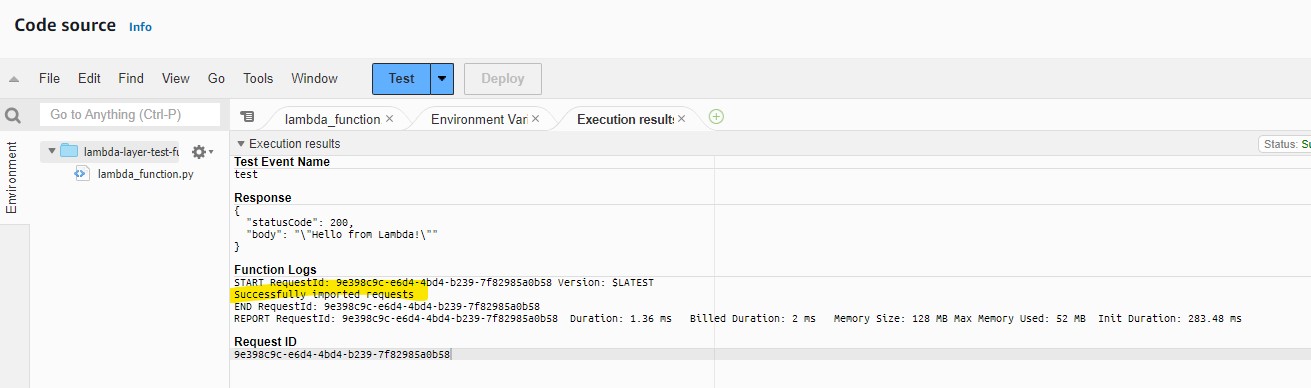
Test the lambda function. Lambda is able to import request modules sucessfully.
Thanks for going through these steps. In this blog, we learnt about the Lambda layer and steps to create it.