AWS S3 and Lambda Automation using S3 File trigger.
Table Content
- Steps for creating AWS S3 and Lambda trigger.
- CSV sample data file.
- S3 bucket for file upload and lambda trigger.
- Lambda function for trigger configuration.
- IAM role for lambda execution.
- AWS S3 trigger in lambda function.
- python script for reading the file and diplaying data.
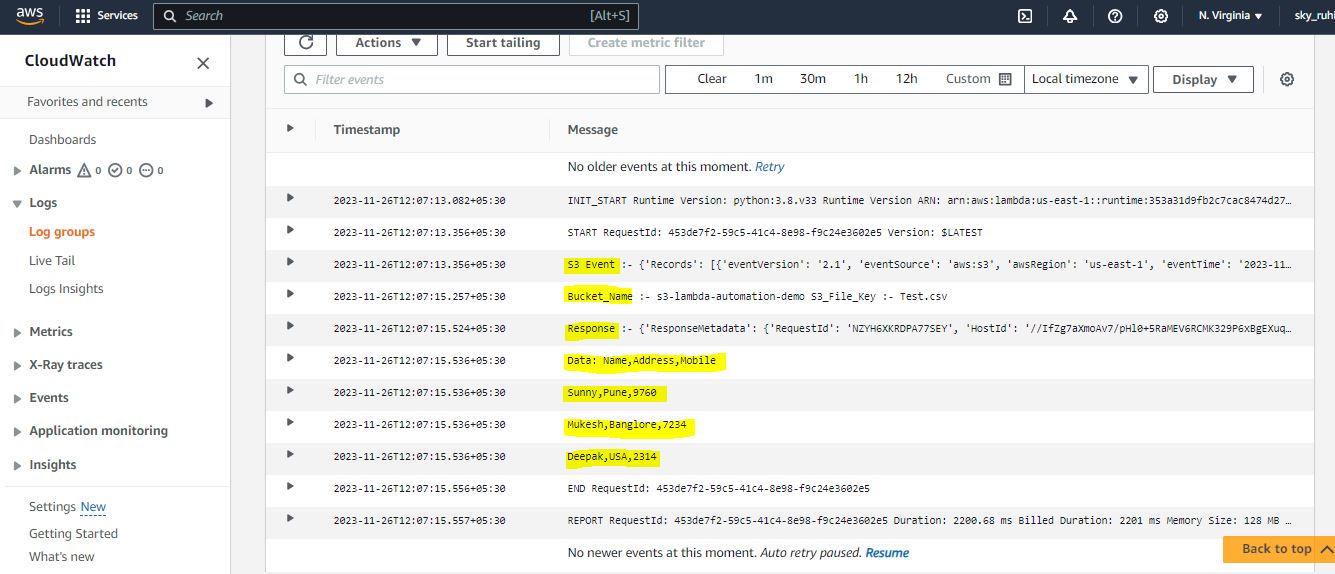
- Lambda execution output in cloudwatch log.
AWS S3 Lambda trigger allows to automate tasks and processes that would otherwise need to be done manually, improving efficiency and reducing errors.This blog will cover how a lambda function gets invoked when an object is uploaded in an S3.
Below are the steps for creating AWS S3 and lambda trigger configuration also how lambda gets invoked when an object is uploaded in an S3 Bucket.
-
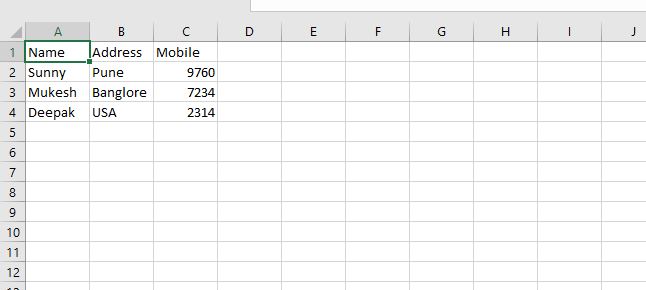
CSV sample data file which will get loaded in S3 Bucket.
-
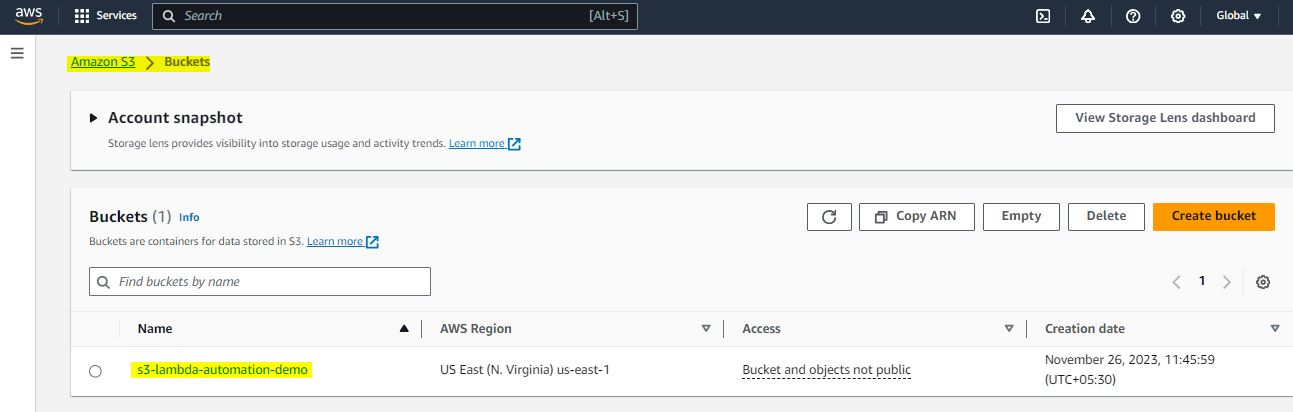
Create an AWS S3 bucket in which sample csv data file will get uploaded for lambda trigger.
-
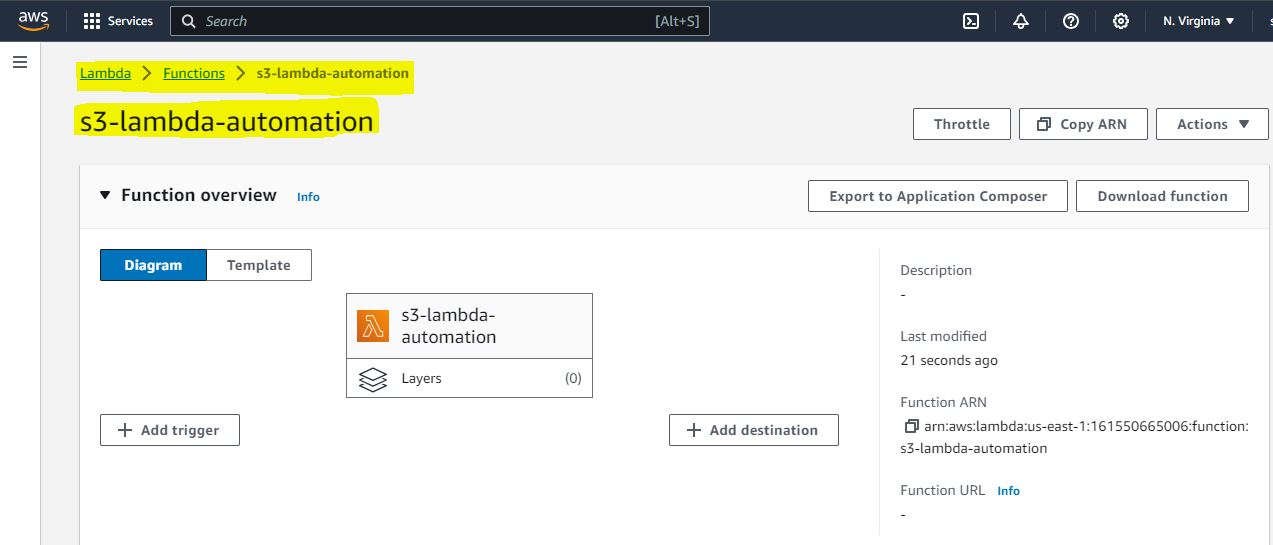
Create an AWS Lambda function in which we will write Python code for automation.
-
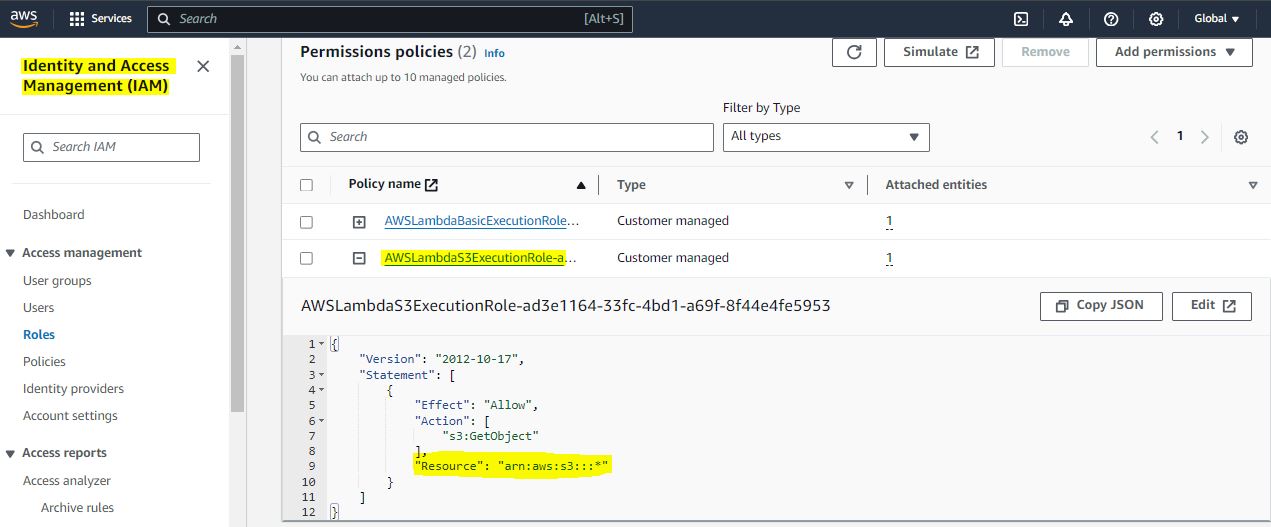
Create an AWS IAM Role for lambda execution which will have the permission for accessing file from S3 bucket.
-
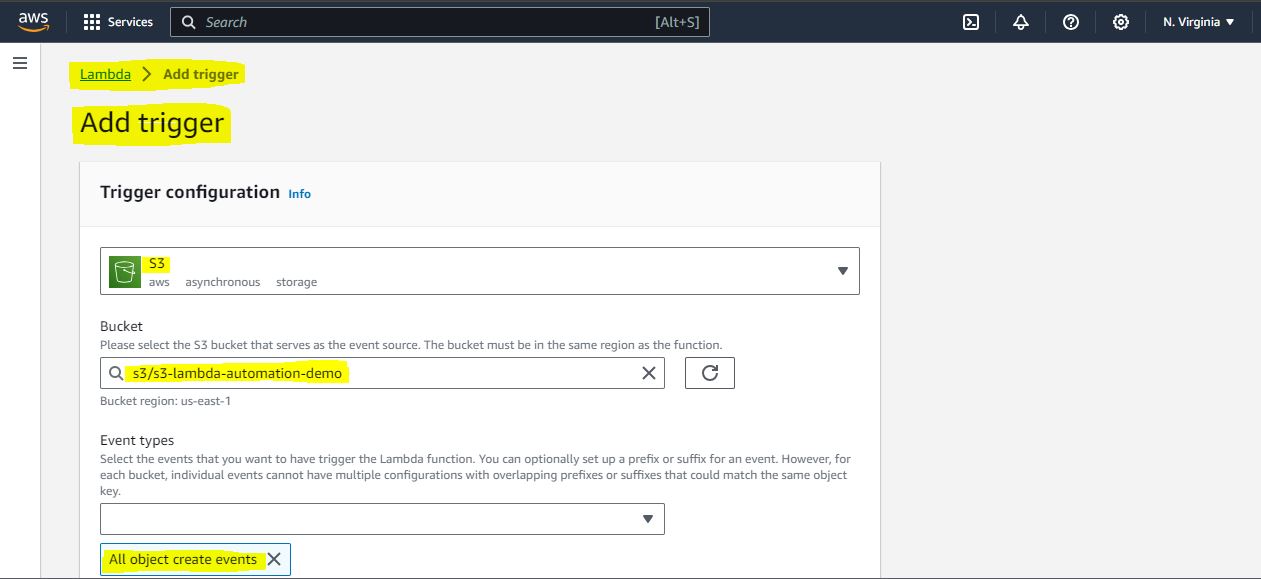
Add S3 bucket trigger in lambda function.
-
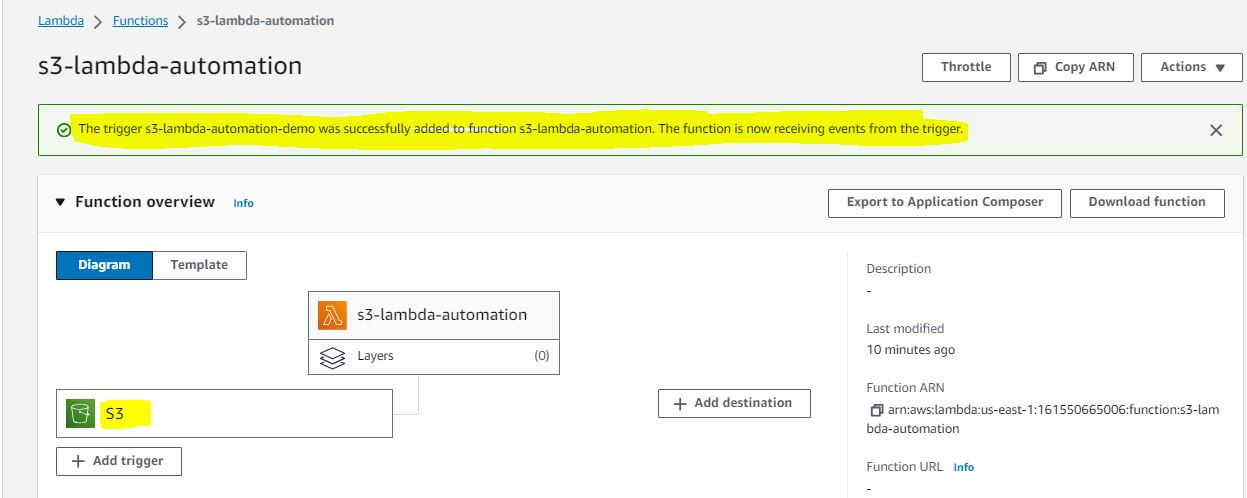
Configuration after S3-trigger added in lambda function.
-
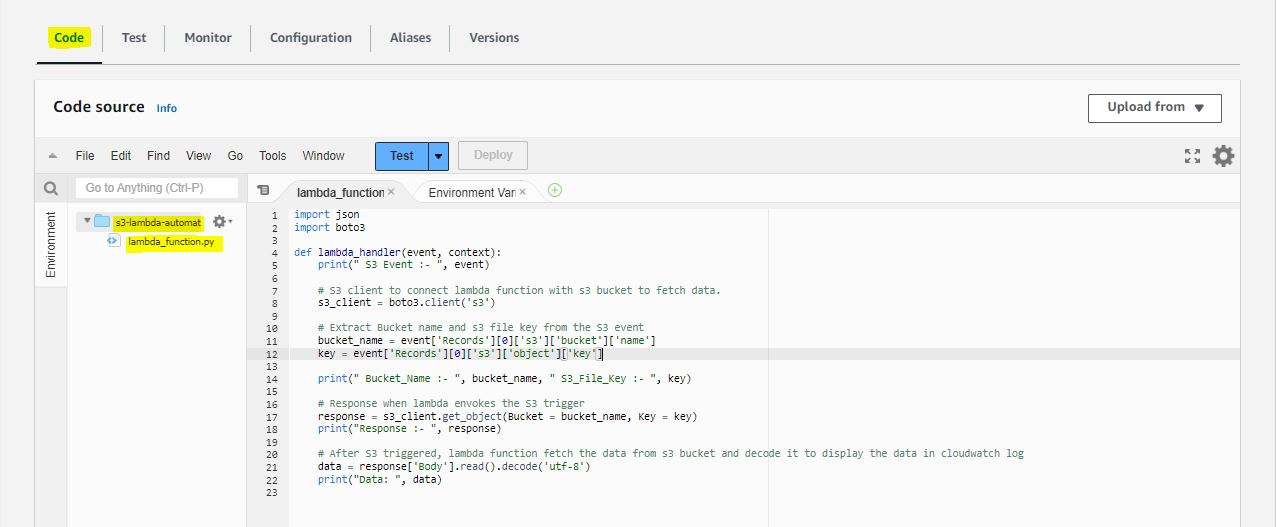
Python script which will read the data from S3 bucket and after decoding, it will display in cloudwatch log.
-
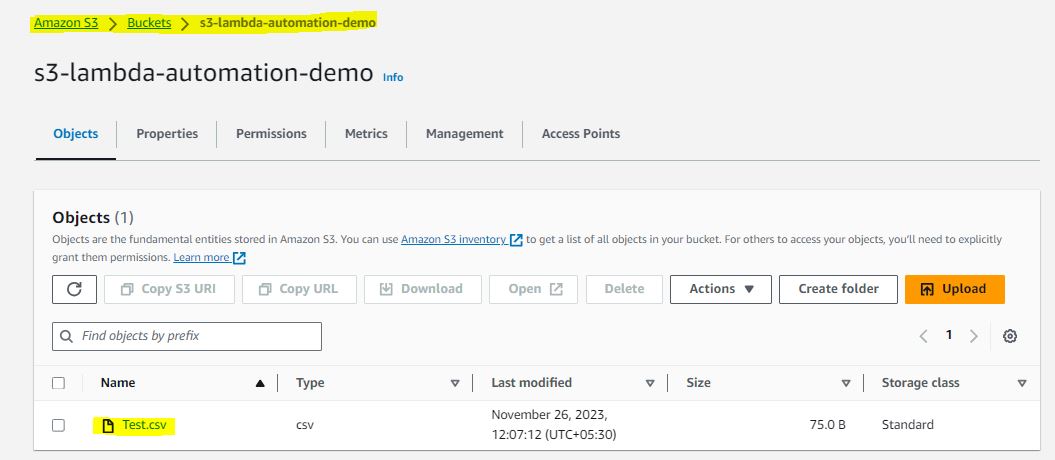
Sample CSV data file uploaded in S3 bucket which will initiate the trigger of lambda function for further processing.
-
As soon as the file uploaded in S3 bucket, Lambda function will get trigger and gets executed. Output will get displayed in AWS Cloudwatch log.
Thanks for going through this Blog content. I hope it would help you at the time of development activities. I Will keep posting the useful content like this in the future.