How to generate S3 object Pre-Signed URL in AWS Lambda ?
Table Content
In this blog, we will create a Pre-Singned URL of an object present in S3 bucket in AWS Lambda and access file through generated URL.
What is S3 pre-signed URL ?
It's a temporary access given to a user to view or download the files stored in s3 object for a short duration. After that time period that url gets invalid. It can be generated by AWS user or IAM role which has access to that object.
Steps to generate S3 Pre-Singned URL ?
-
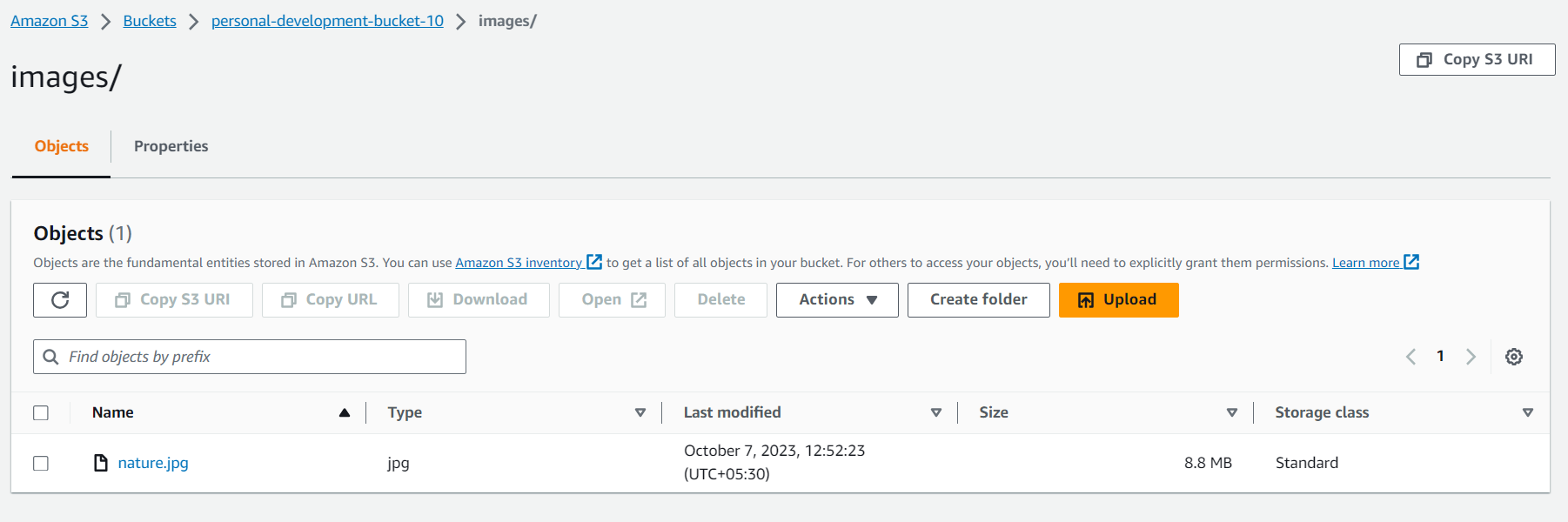
Create a bucket in AWS and upload a file (image, pdf, text, csv etc.)
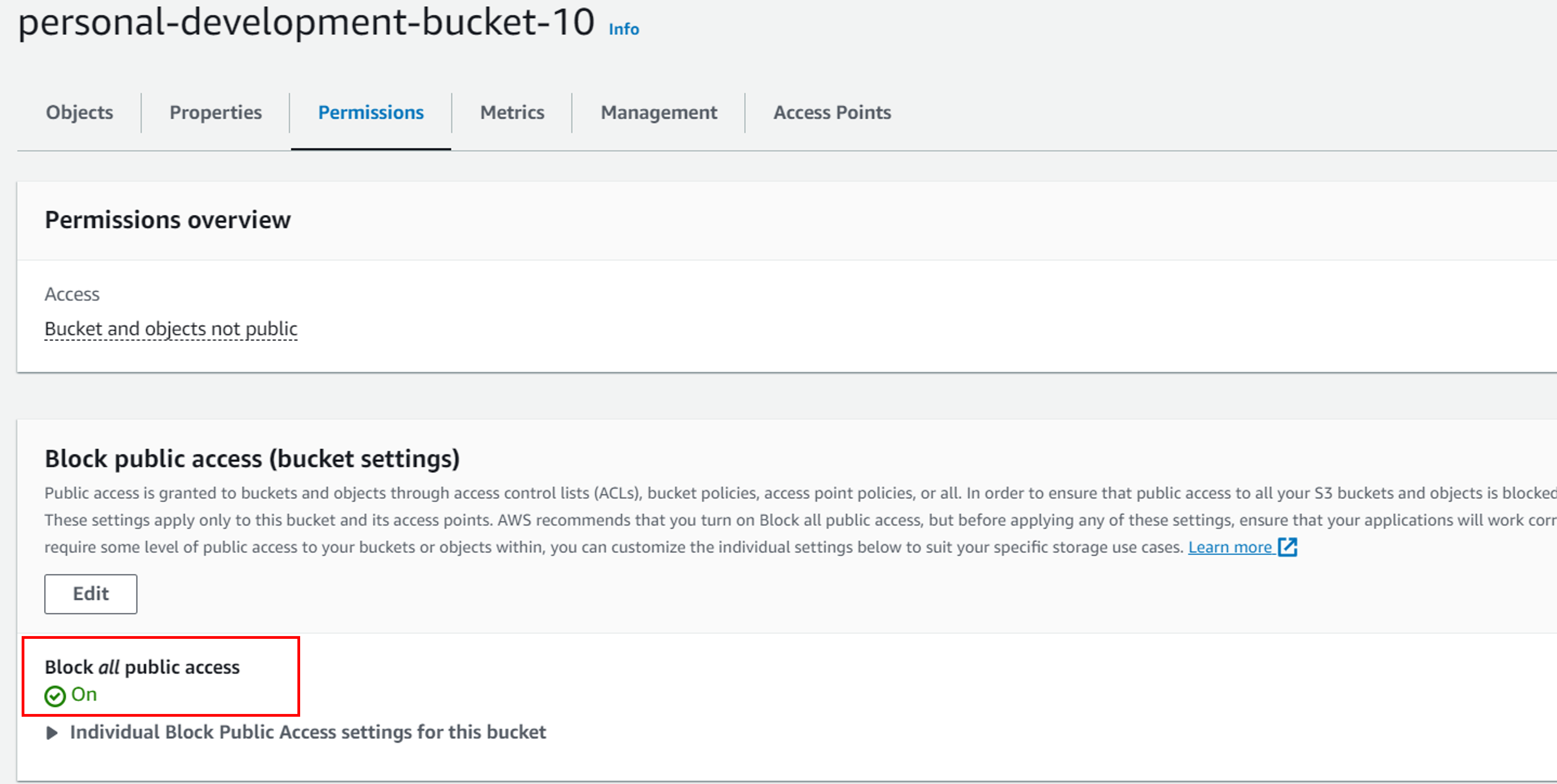
Right now, s3 bucket blocks all the public access which means that no one outside the aws can access files present in this bucket.
-
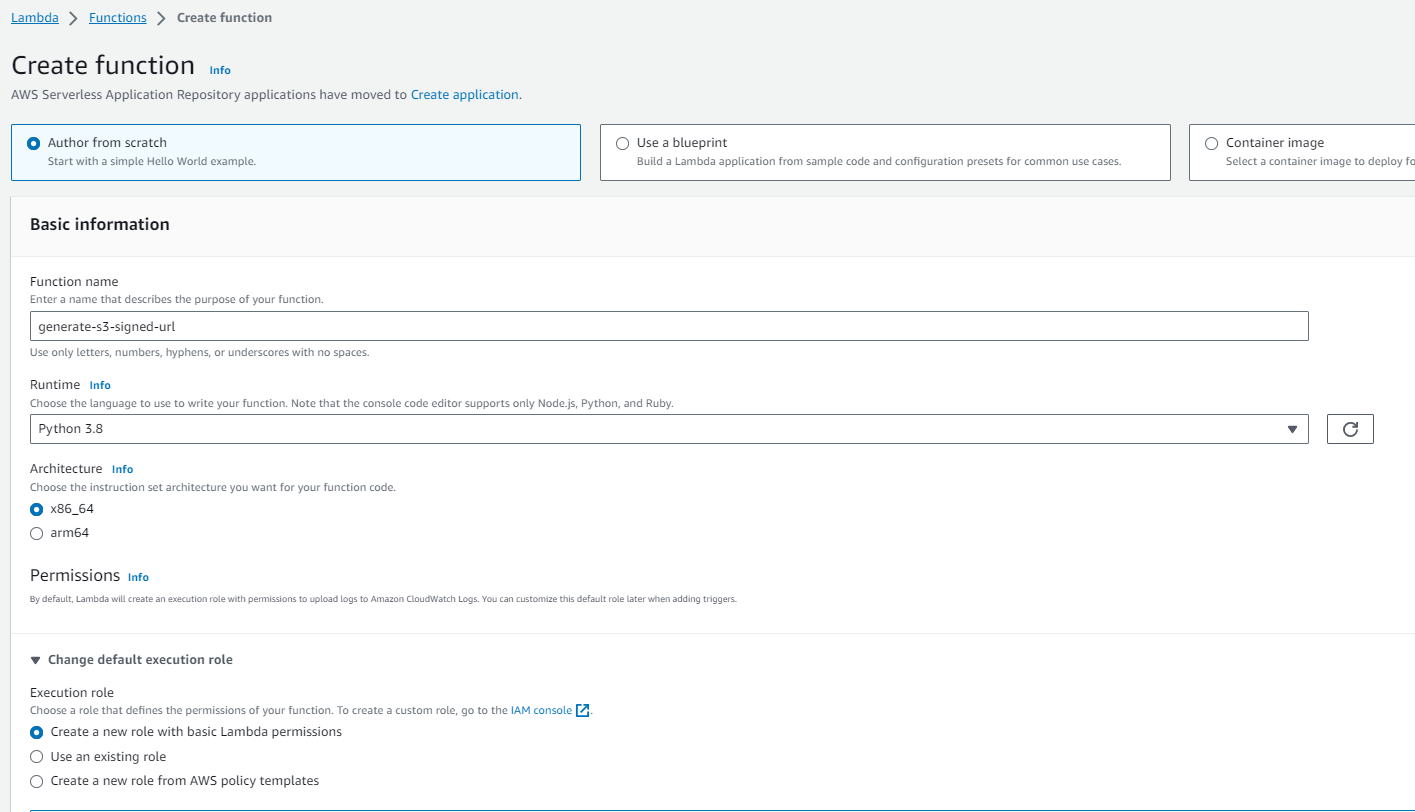
Create AWS lambda function using below configuration. Here we are using Python 3.8 runtime.
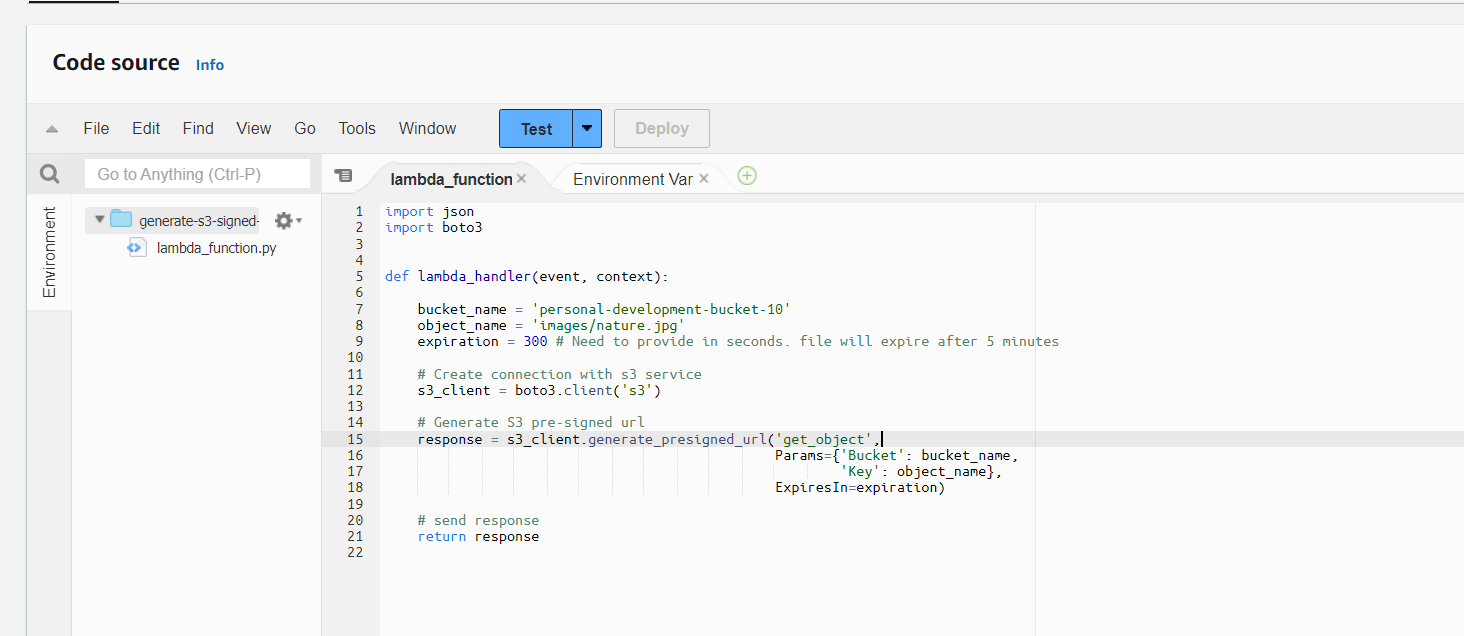
Update lambda code as shown below. In below code, we are generating pre-signed url for s3 file shown in step 1. We have given expiry time as 5 minutes that means the URL will be valid only for that duration. After 5 minutes it will expire and no one will be able to acesss that file anymore.
-
Update IAM Role associated with lambda to grant S3 read access on the s3 bucket.
-
Click on the below shown IAM role.

-
Click on below highlighted area to create a new policy.
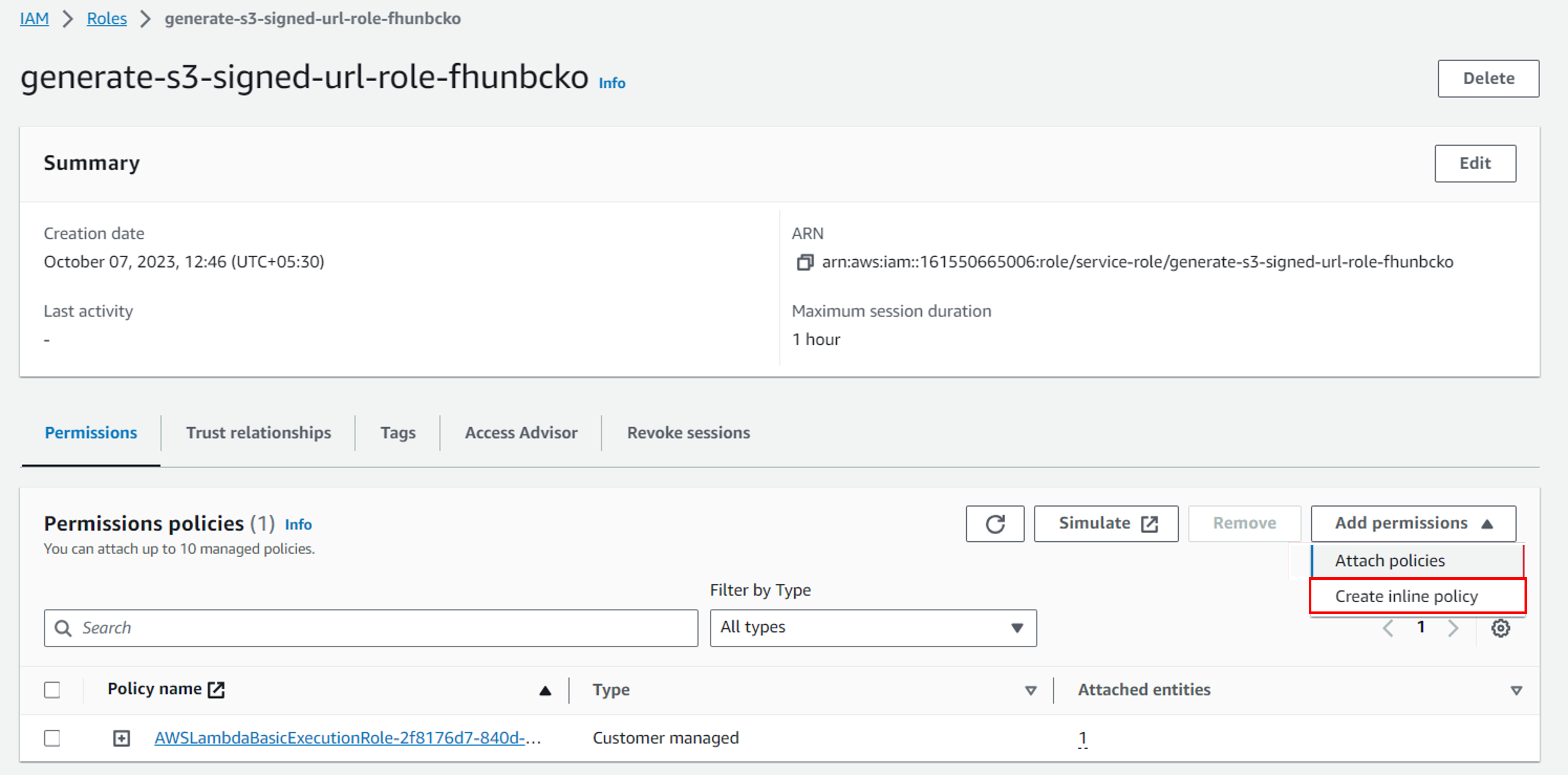
-
Select S3 service and add GetObject permission on our bucket.
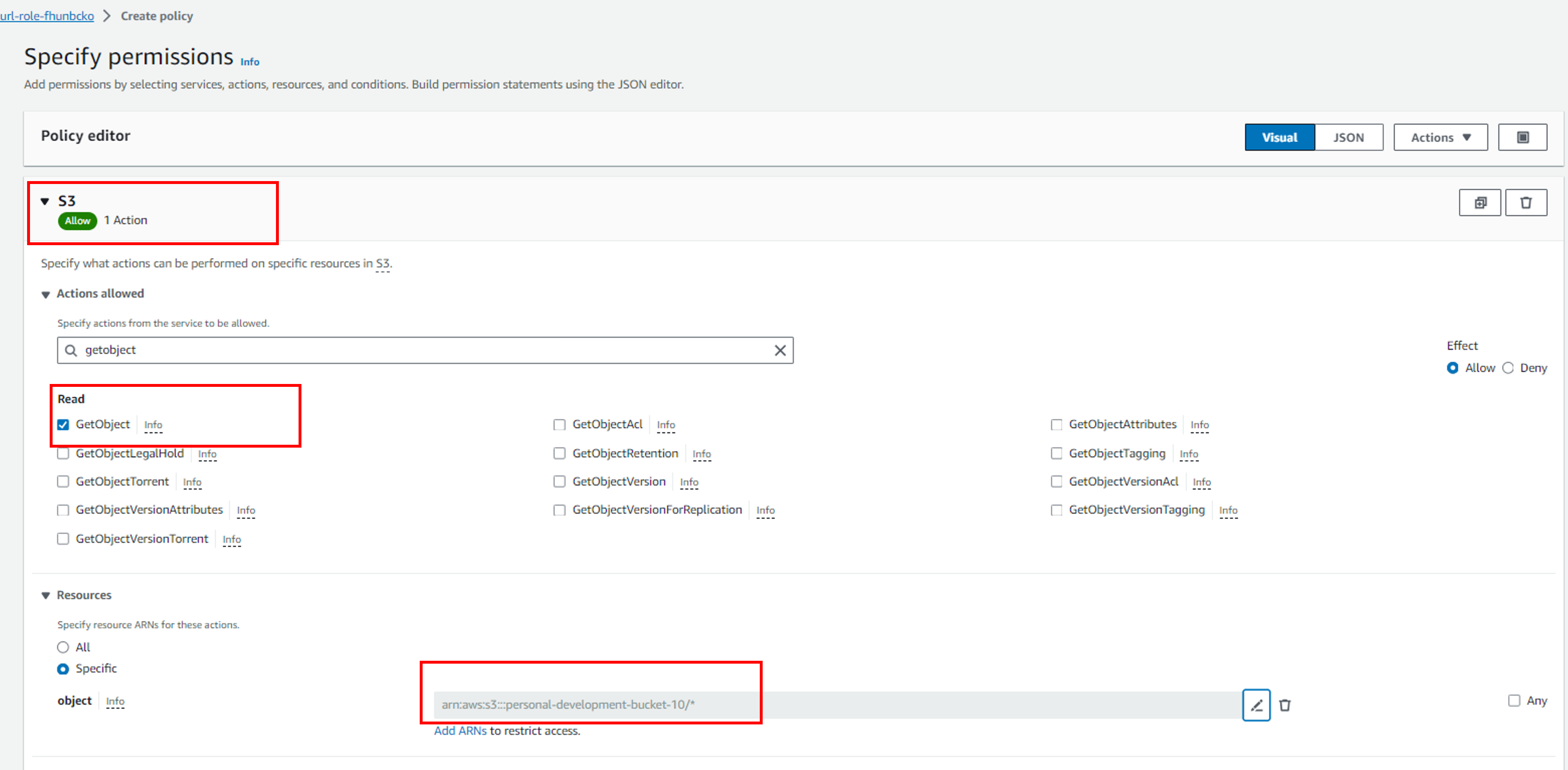
-
Provide policy name and create the policy after review.
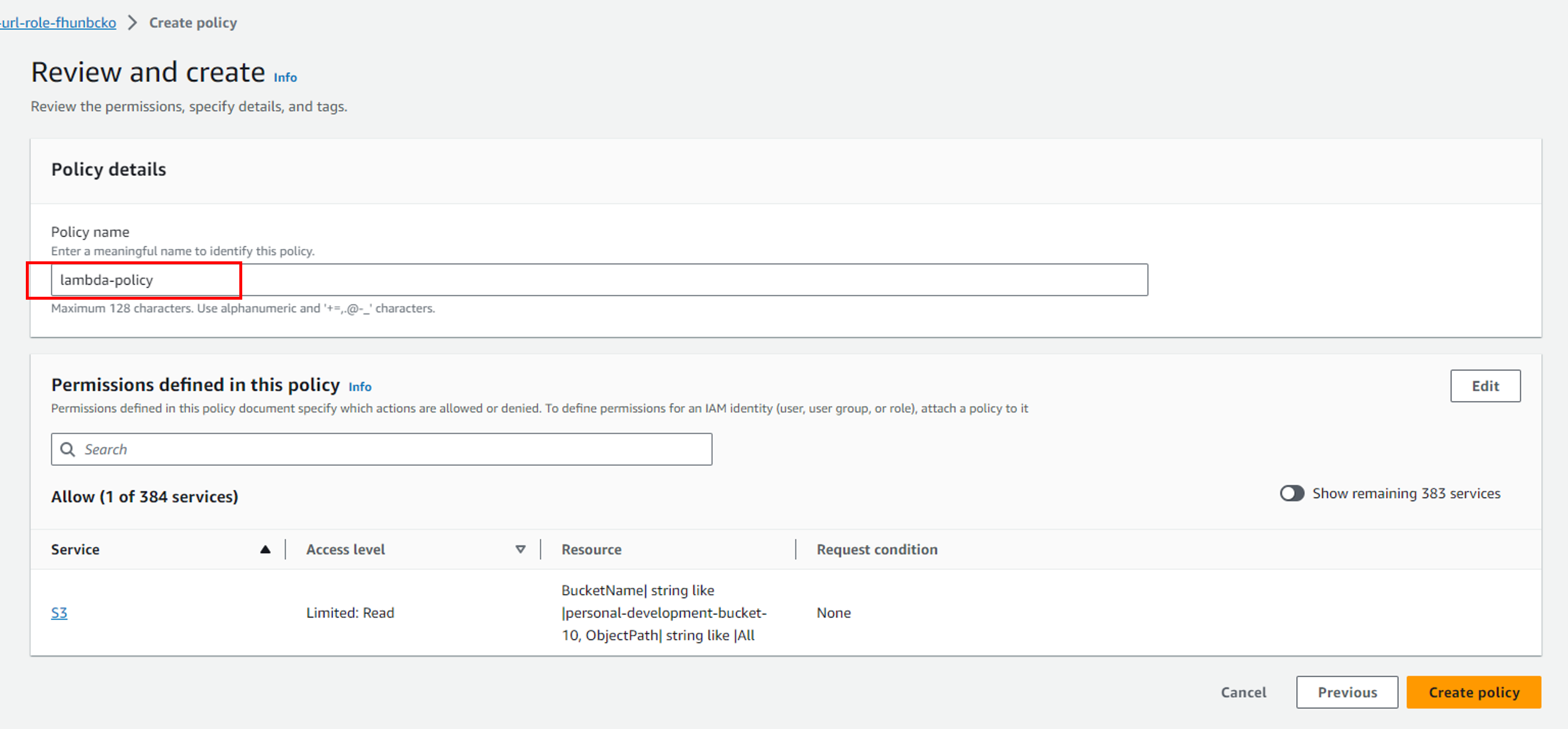
-
-
Now test the lambda funtion, it will return a pre-signed url of the file present in s3://personal-development-bucket-10/images/nature.jpg.
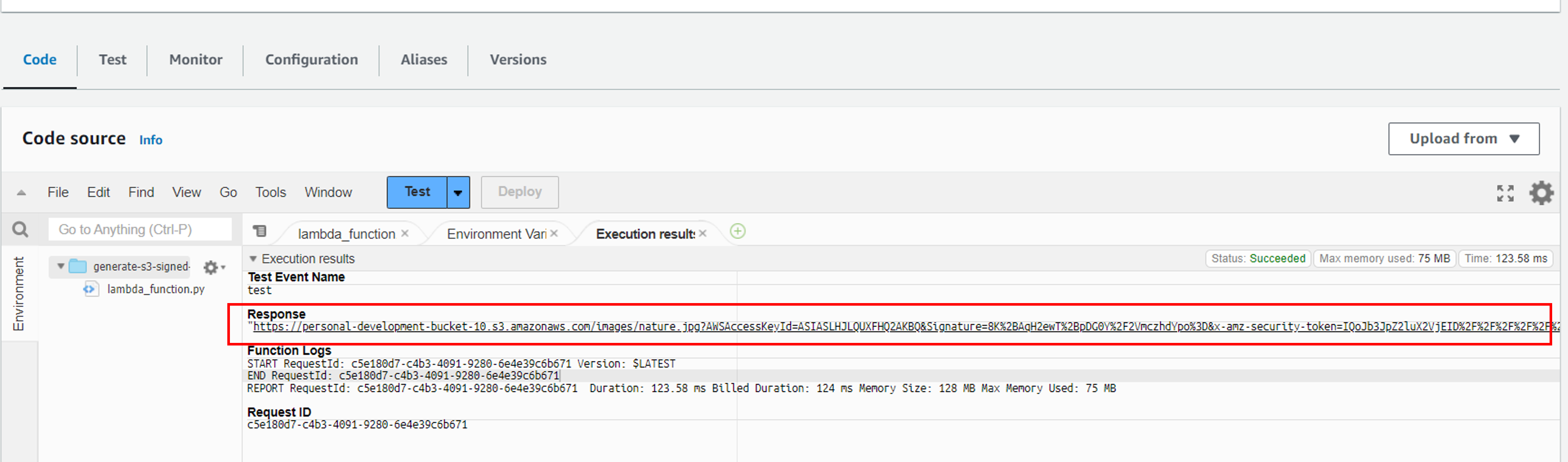
-
Paste the pre-signed URL in browser, you or anyone with URL will be able to see or download the file from s3 bucket.
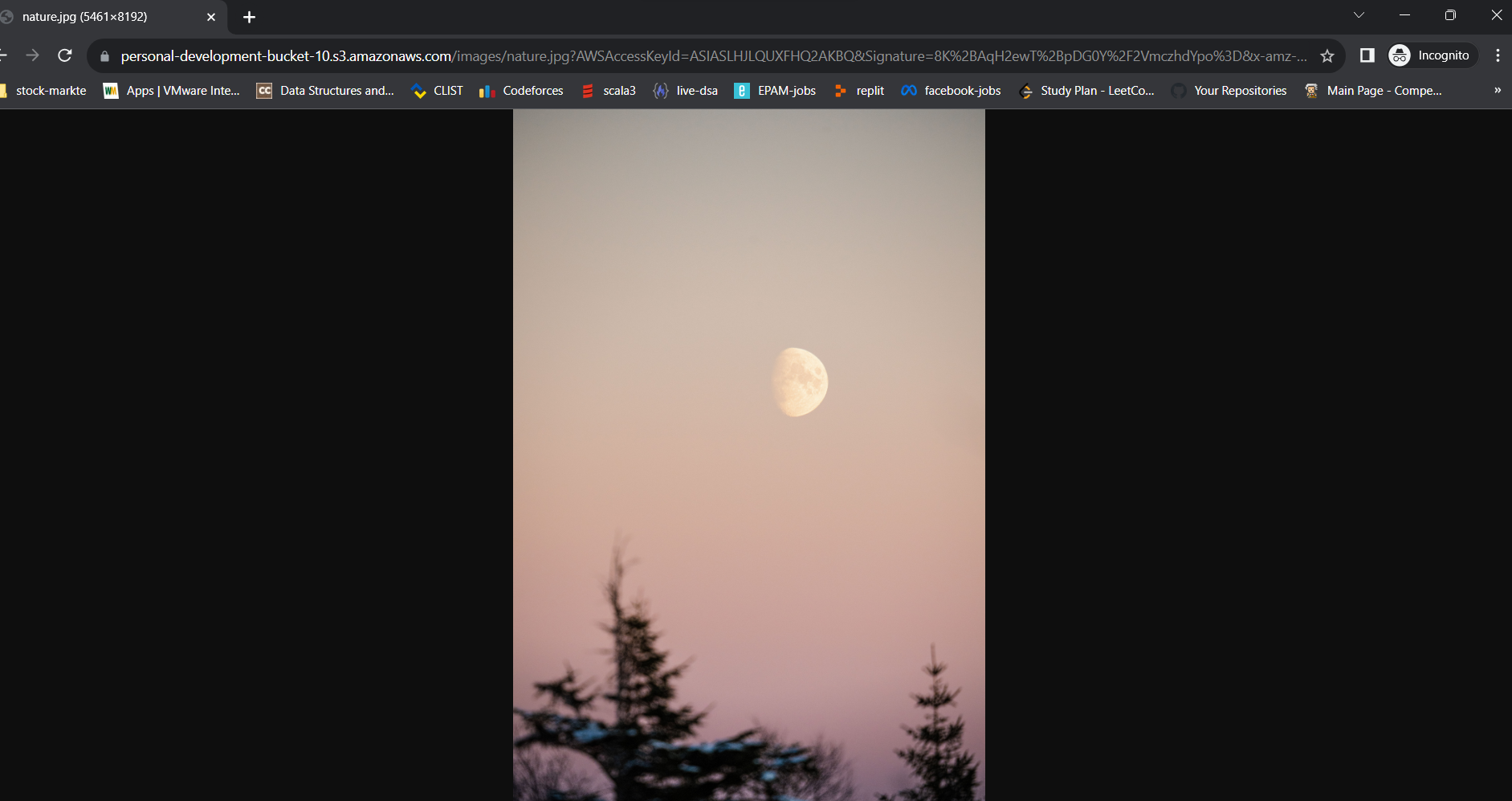
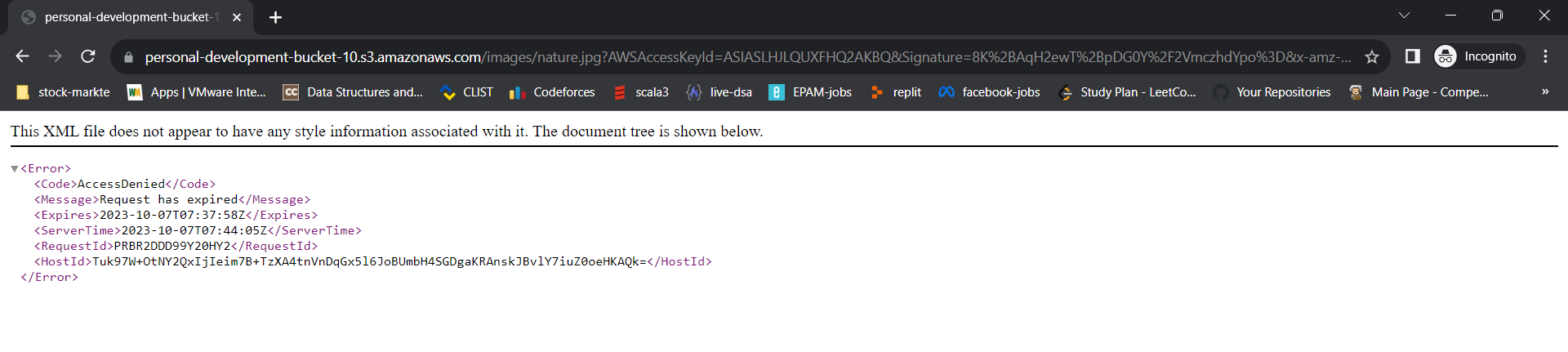
You won't be able to see or download the file after 5 minutes from the pre-signed URL as we have kept expiry time as 5 minutes so it will be invalid after that time period.
-
[ OPTIONAL ] In below steps we will enable Function URL in lambda, which will be endpoint for lambda. Whenever someone will hit that URL using (curl, postman or browser), it will trigger the lambda and generate pre-signed url for s3 file.
-
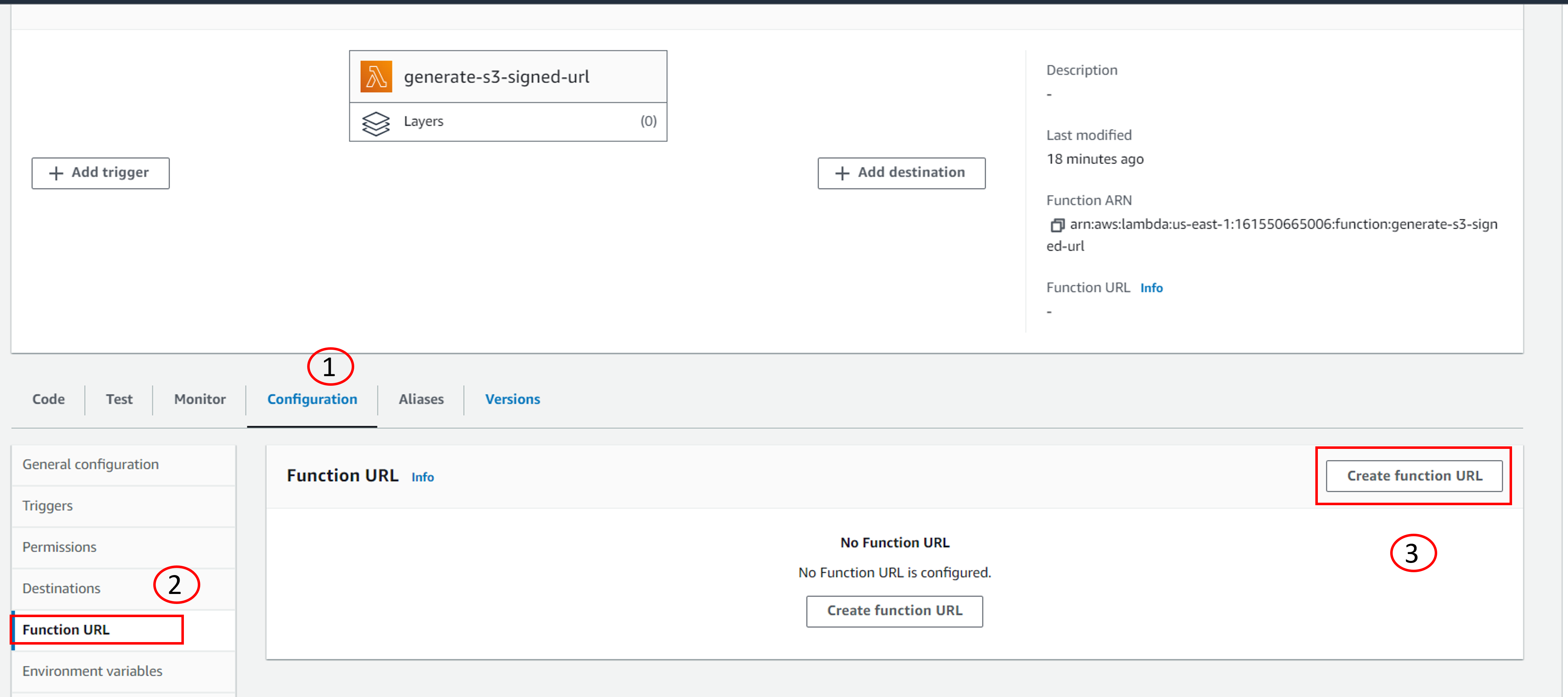
Navigate to Lambda configuration tab and select Function URL from left as shown below. Then create Function URL.
-
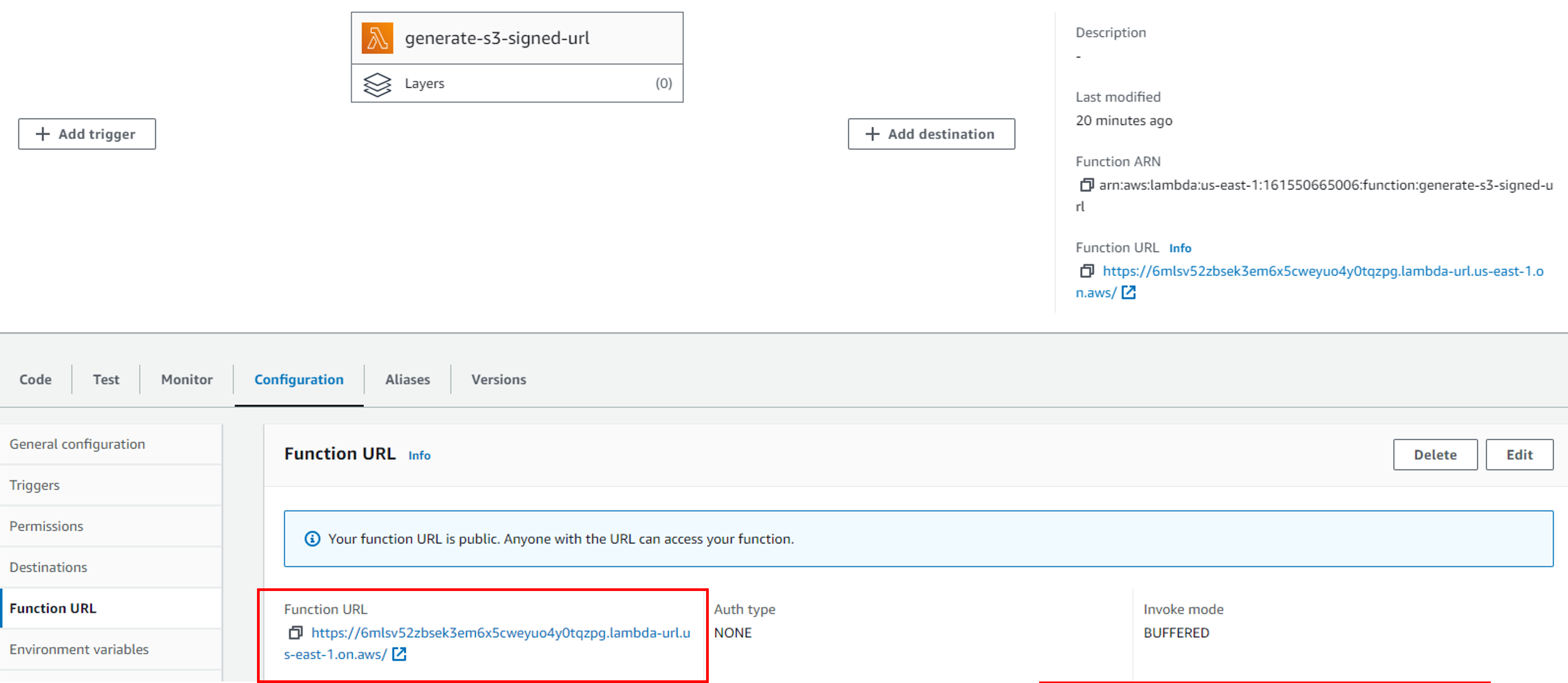
Select Auth Type as NONE, so anyone in the world can hit the lambda function. After enabling this configuration it will shows one https end point as shown below. We can use this endpoint in browser, curl command or postman to get the response from lambda.
-
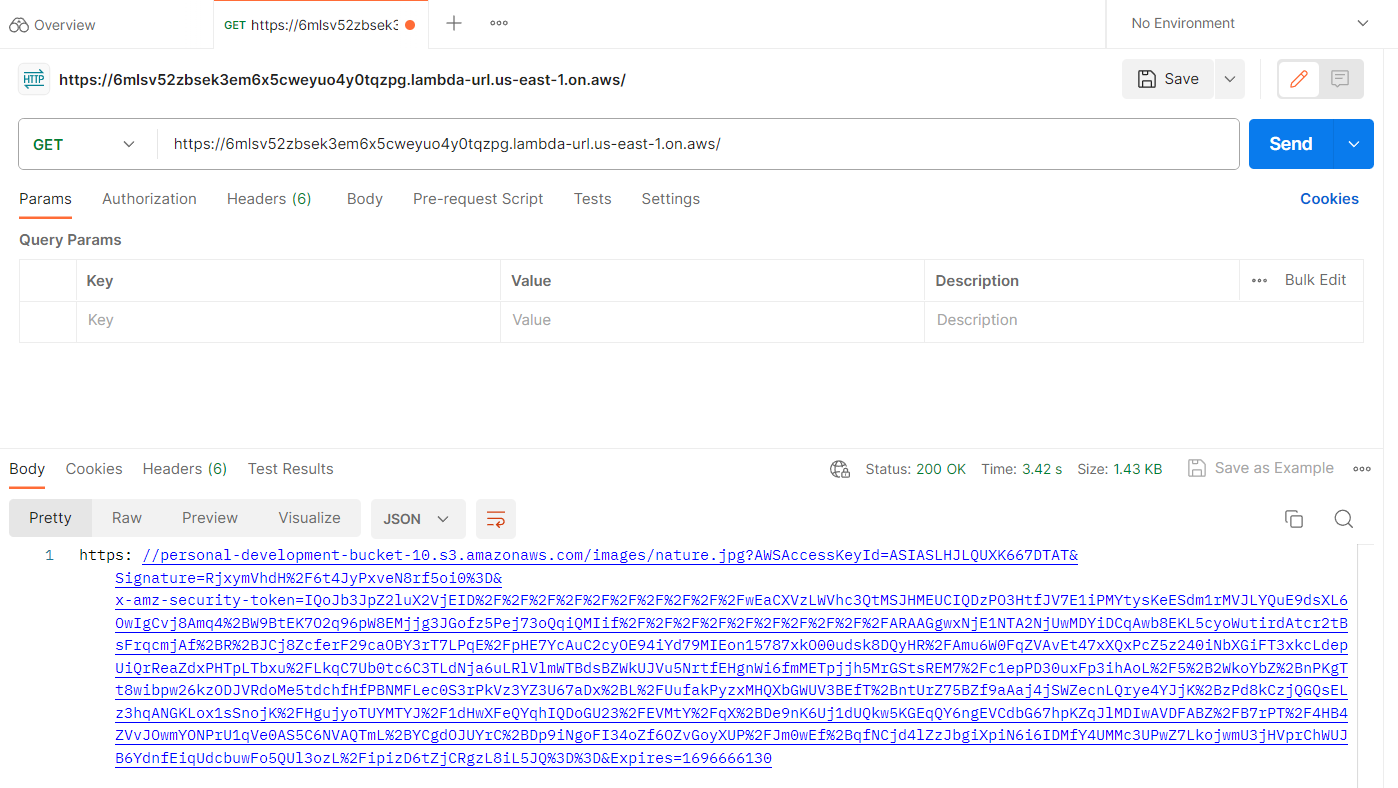
Below we have used Postman application to trigger the lambda function and we received a pre-signed url in response. We can view or download file using this pre-signed url. It will expire after 5 minutes so no one will be able to access that file after expiry time.
-
Thanks for going through this automation. In this blog, we were able to successfully generate pre-signed url for a s3 object and view/download it.