Various methods for loading the CSV data file into Snowflake tables.
Table Content
Loading the CSV data file into Snowflake tables is necessary for efficient storage, organization, and analysis of structured data within Snowflake's data warehouse environment.
This process allows for easy querying, manipulating, and reporting on the data, enabling effective data-driven decision-making and insights for organizations.
Additionally, Snowflake's optimized storage and processing capabilities enhance the performance and scalability of handling large amounts of CSV data, contributing to an effective data management strategy.
There are multiple ways to load the csv data file from local source to snowflake, some of the easiest and efficient ways have been mentioned below.
Local system to snowflake without staging using write_pandas function.
Local system to snowflake via AWS S3 as external stage using snowcopy.
Incremental load from the external stage to snowflake using snowpipe.
NOTE : Essential prerequisites that must be met before commencing the development work.
The supported python versions of the module[snowflake-connector-python]are :3.8, 3.9 and 3.10
Don't explicitly install pandas module.
Opt for using the below command instead of a direct installation of the pandas module.
pip install pandas
pip install snowflake-connector-python[pandas]
-
How to load the csv data file from local system to snowflake directly using write_pandas function ?
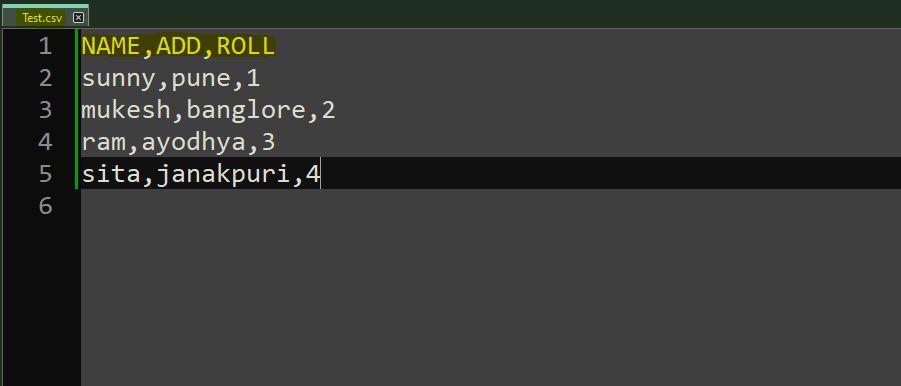
Create a sample csv data file which will be loaded in snowflake table.
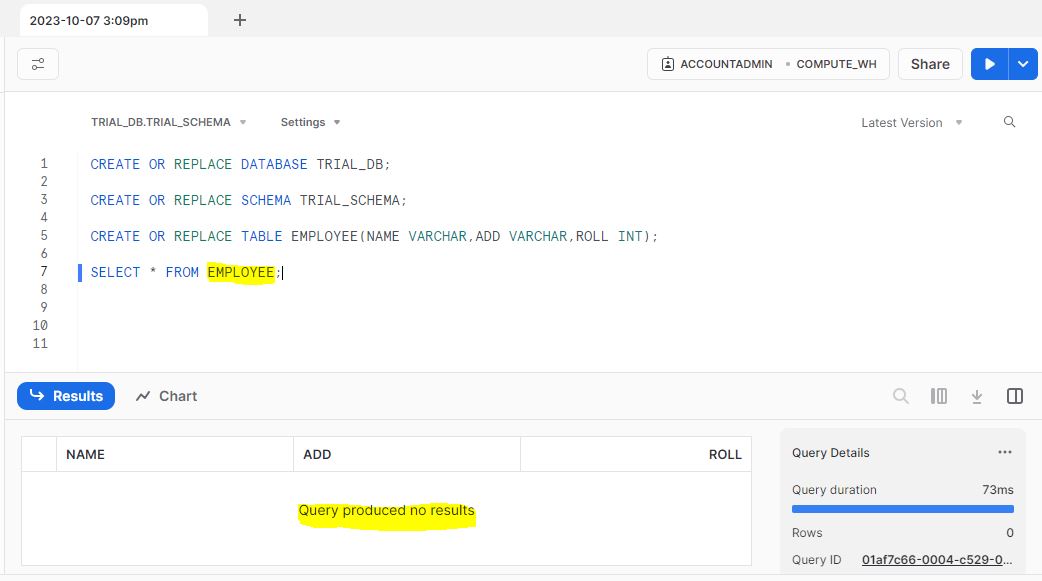
Create the database, schema and table in snowflake to load the input data file.
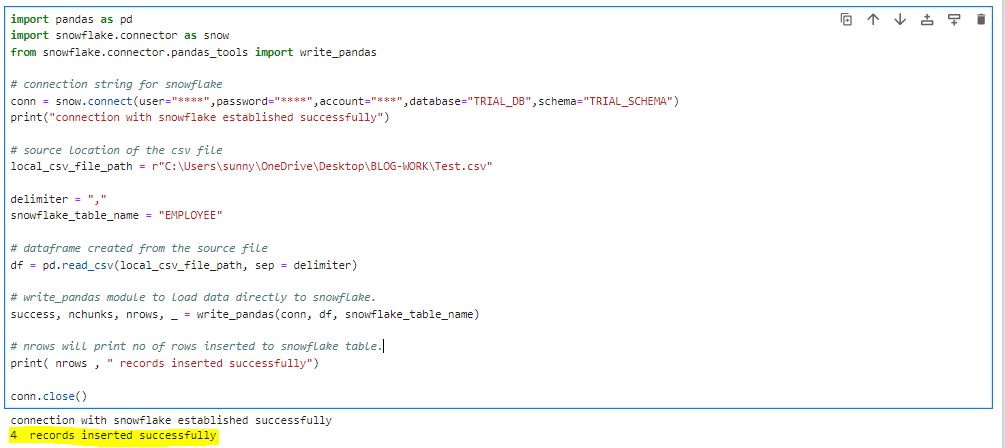
Execute the below jupyter notebook script to load the data into snowflake table.
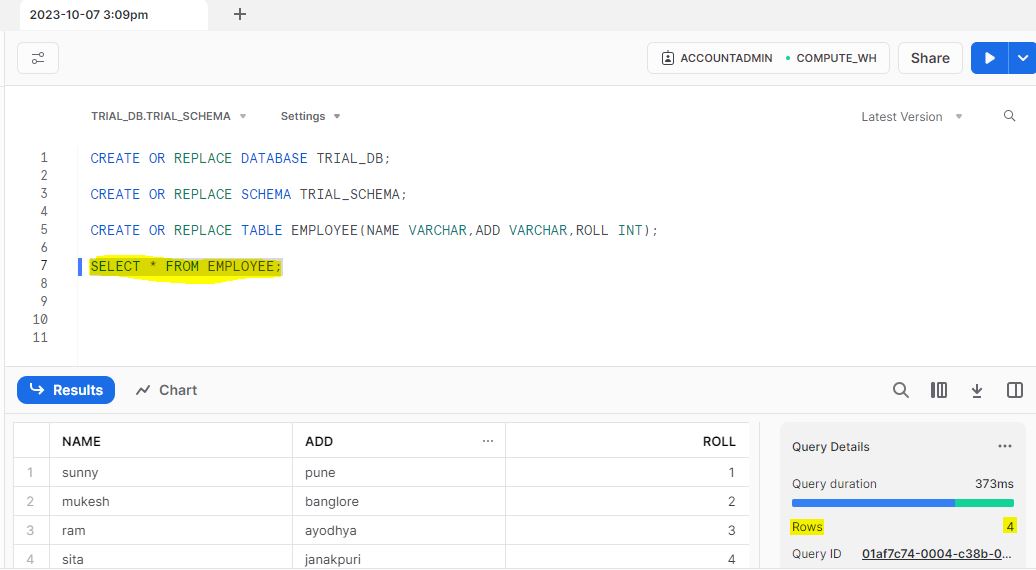
After the code executed successfully, data is clearly reflecting in snowflake.
-
How to load the csv data file from local system to snowflake via external stage using snowcopy ?
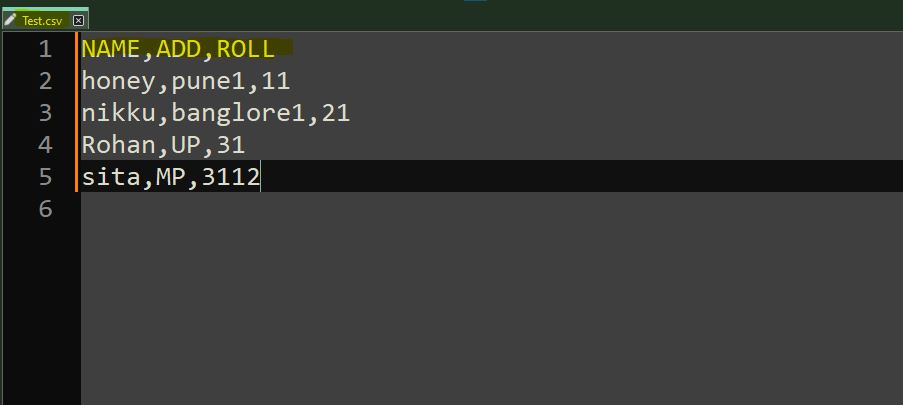
Create a sample csv data file which will be loaded in snowflake table.
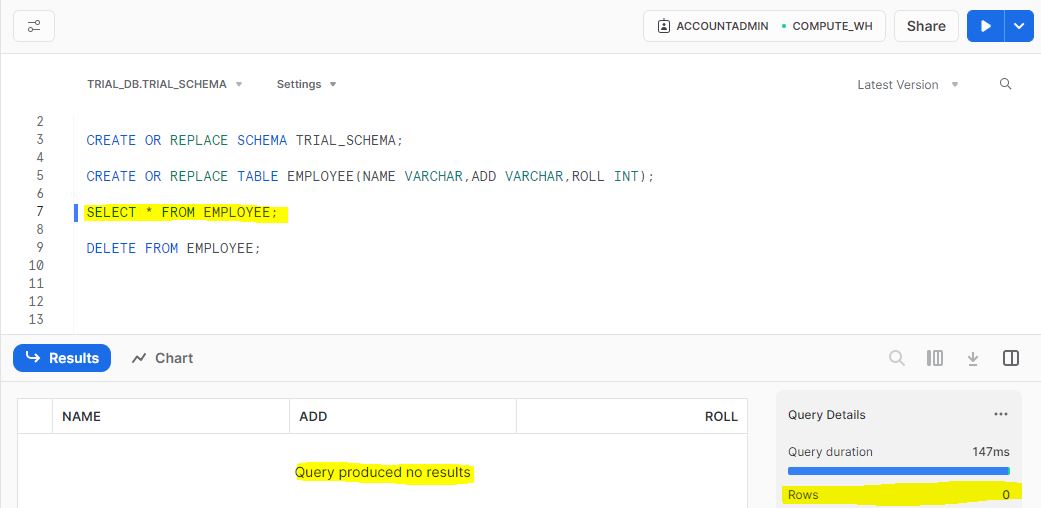
Create the database, schema and table in snowflake to load the input data file.
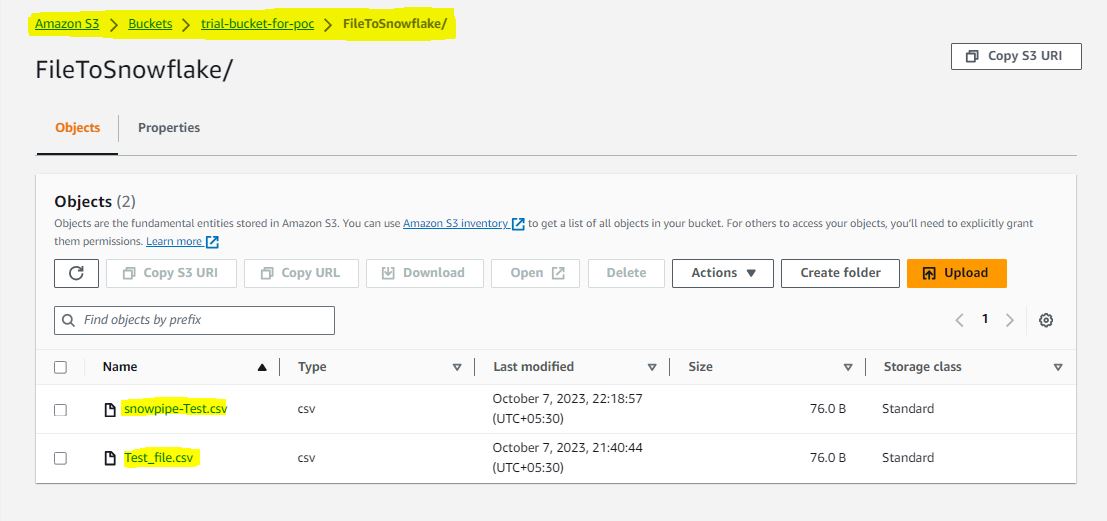
Create the S3 bucket as an external staging for the input data file.
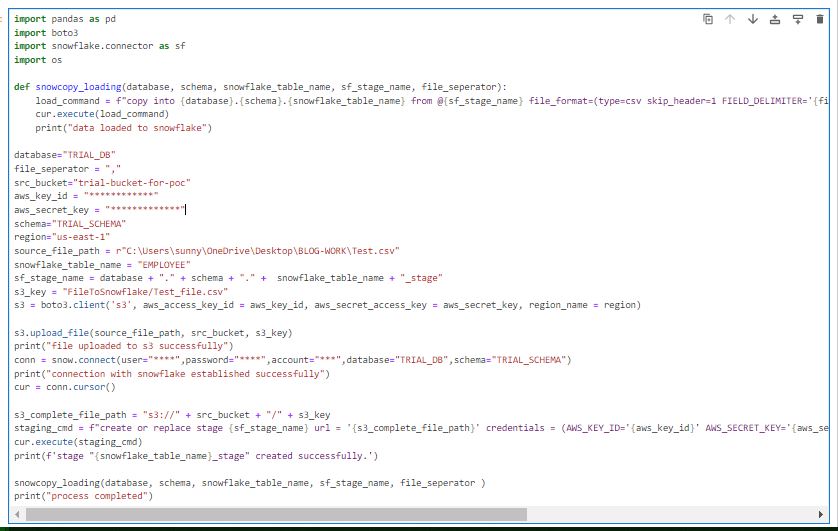
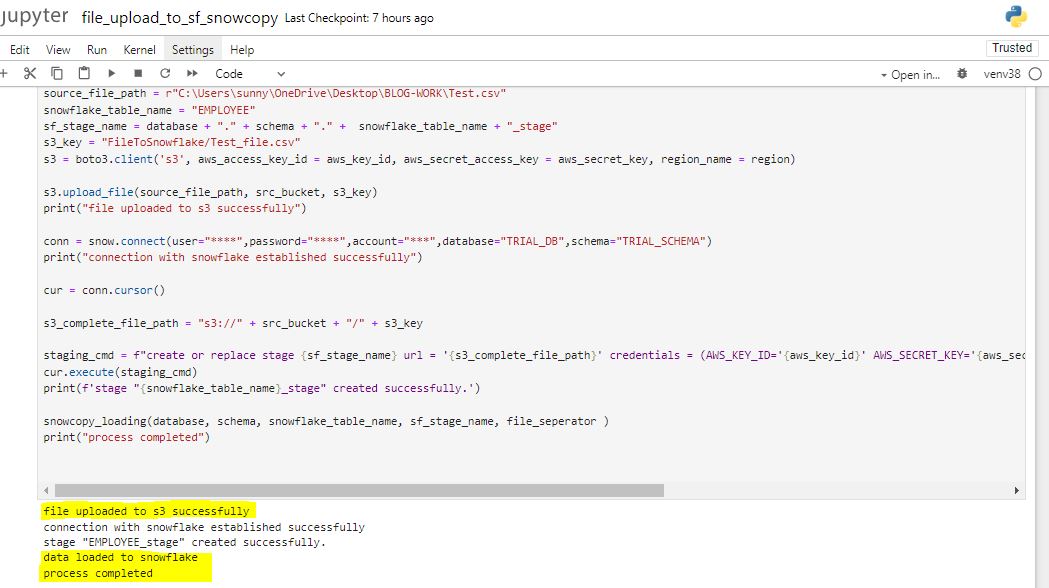
Execute the below jupyter notebook script to load the data into snowflake table via S3 external stage.
Code executed successfully with the correct responses.
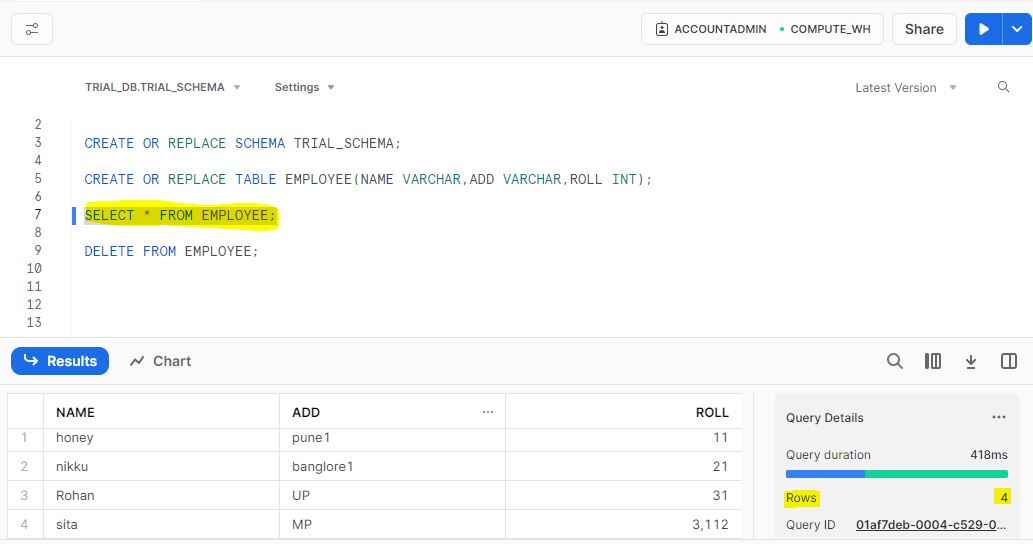
After the code executed, data is clearly reflecting in the snowflake.
-
How to automate the Incremental data load from S3 staging to snowflake using snowpipe ?
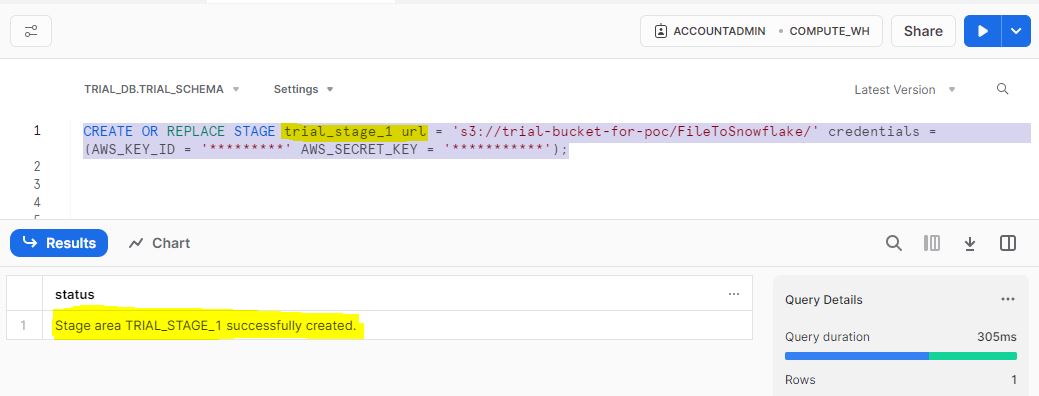
Create an S3 extrenal stage in snowflake console from which csv data load will be automated.
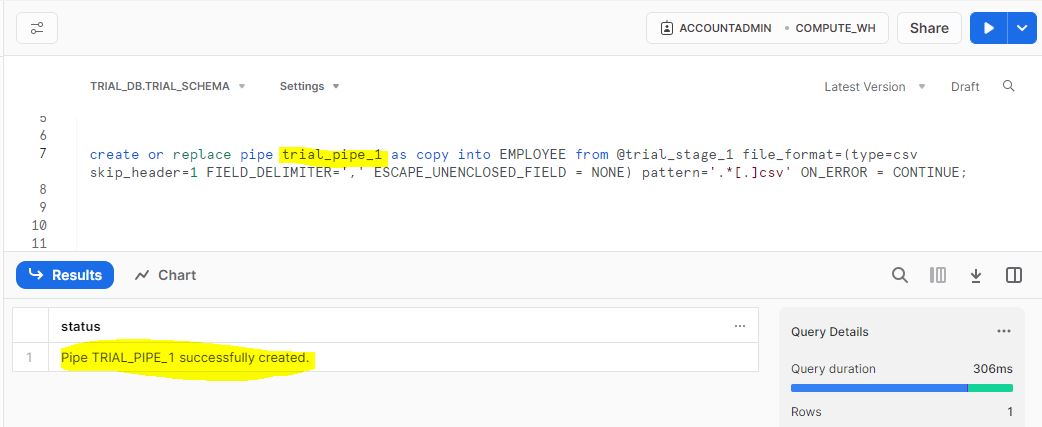
Create a pipe in snowflake which will load the data in snowflake after being refreshed.
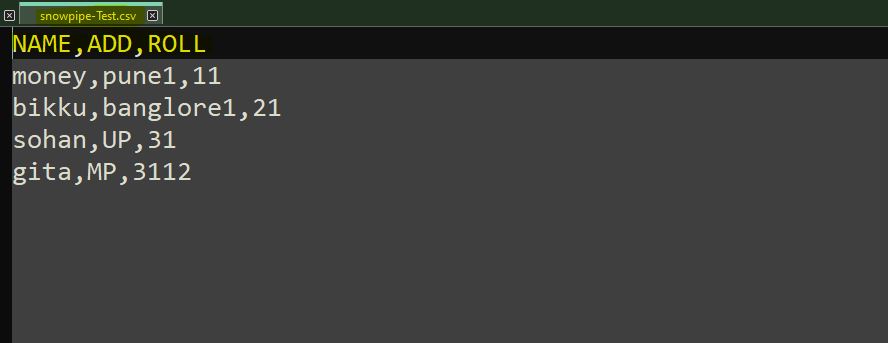
Input data records which will be loaded to S3 stage to test the automation.
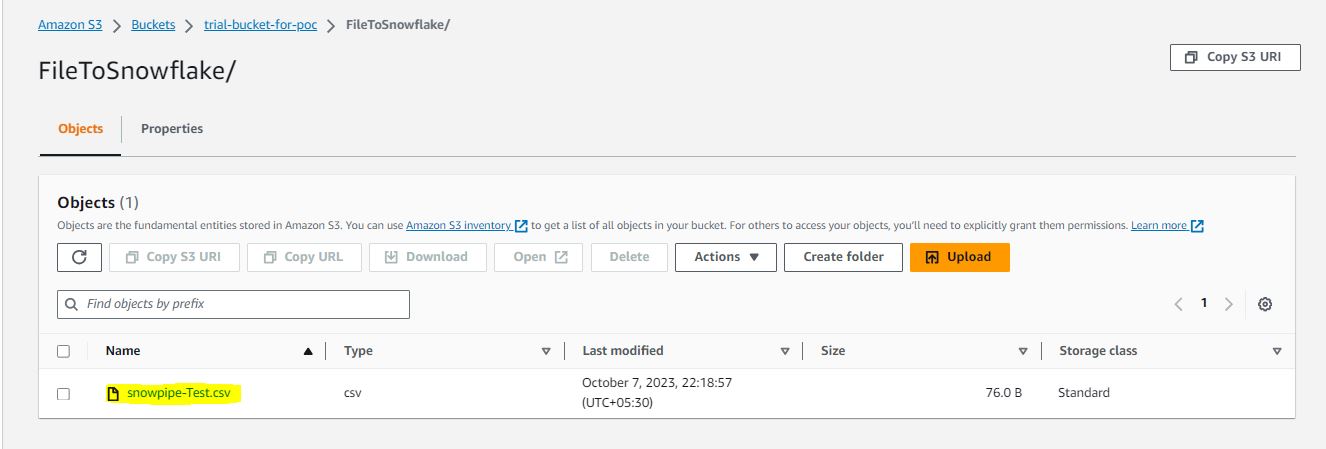
Sample input data file uploaded to S3 stage to load into snowflake.
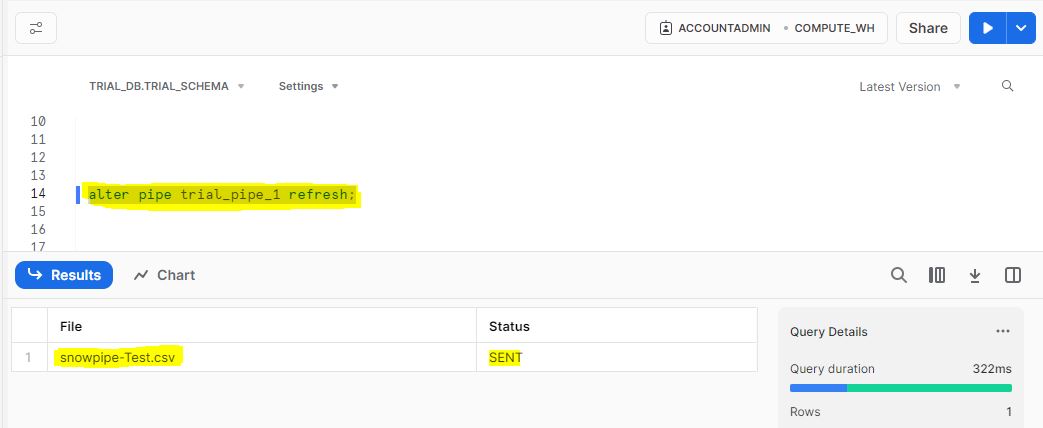
Execute the refresh pipe command, which will initiate the data load process.
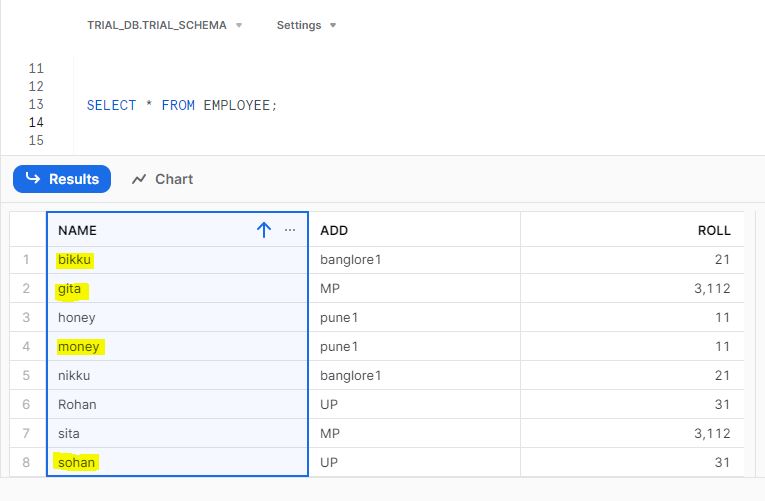
Data loaded successfully in snowflake table. Highlighted fields are the data loaded through snowpipe.
Thanks for going through this Blog content. I hope it would help you at the time of development activities. I Will keep posting the useful content like this in the future.